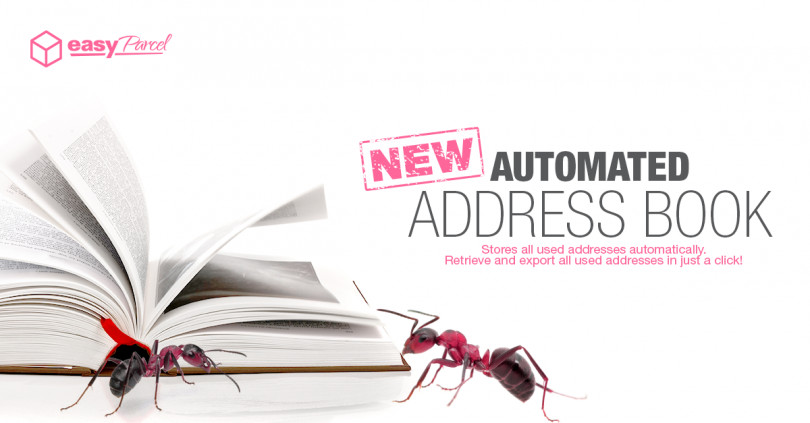
Feeling tired and sick of having to write down all the collection and delivery addresses on the Air WayBill all the time? Try EasyParcel! We’ll keep a record of all the addresses you have used before. When placing for your next order, you can grab the address and other details from the Address Book and it will automatically fill up for you. This will surely save your time. Check out the steps below on how to create your Address Book.
Every address that you have used before will be automatically saved in the Address Book . If you would like to add or create an address in advance or manage your address book, you may follow the steps below or watch our video tutorial.
How To Import Address Book?
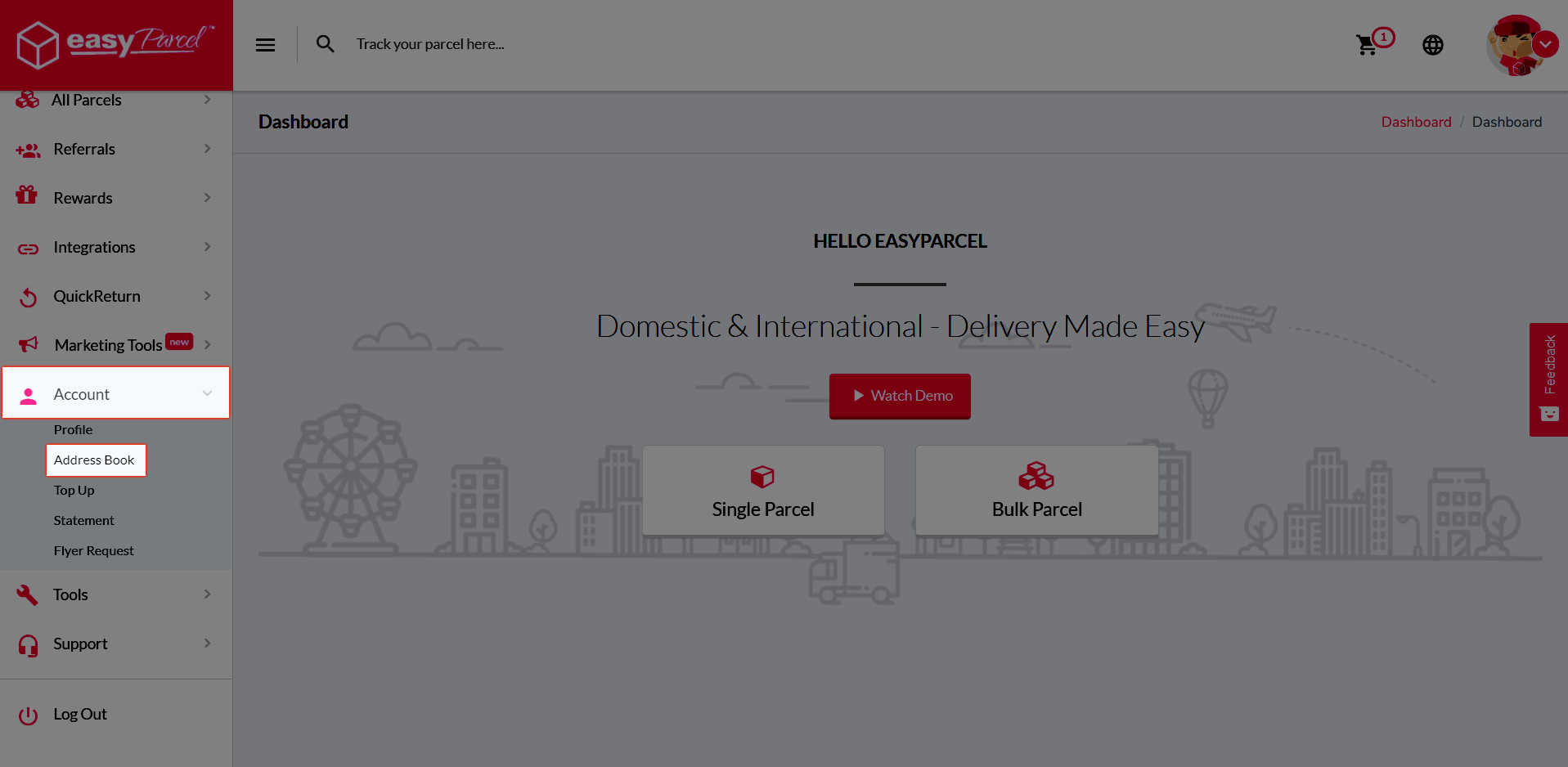
Step 1: Go to “Account” and click on the “Address Book”.
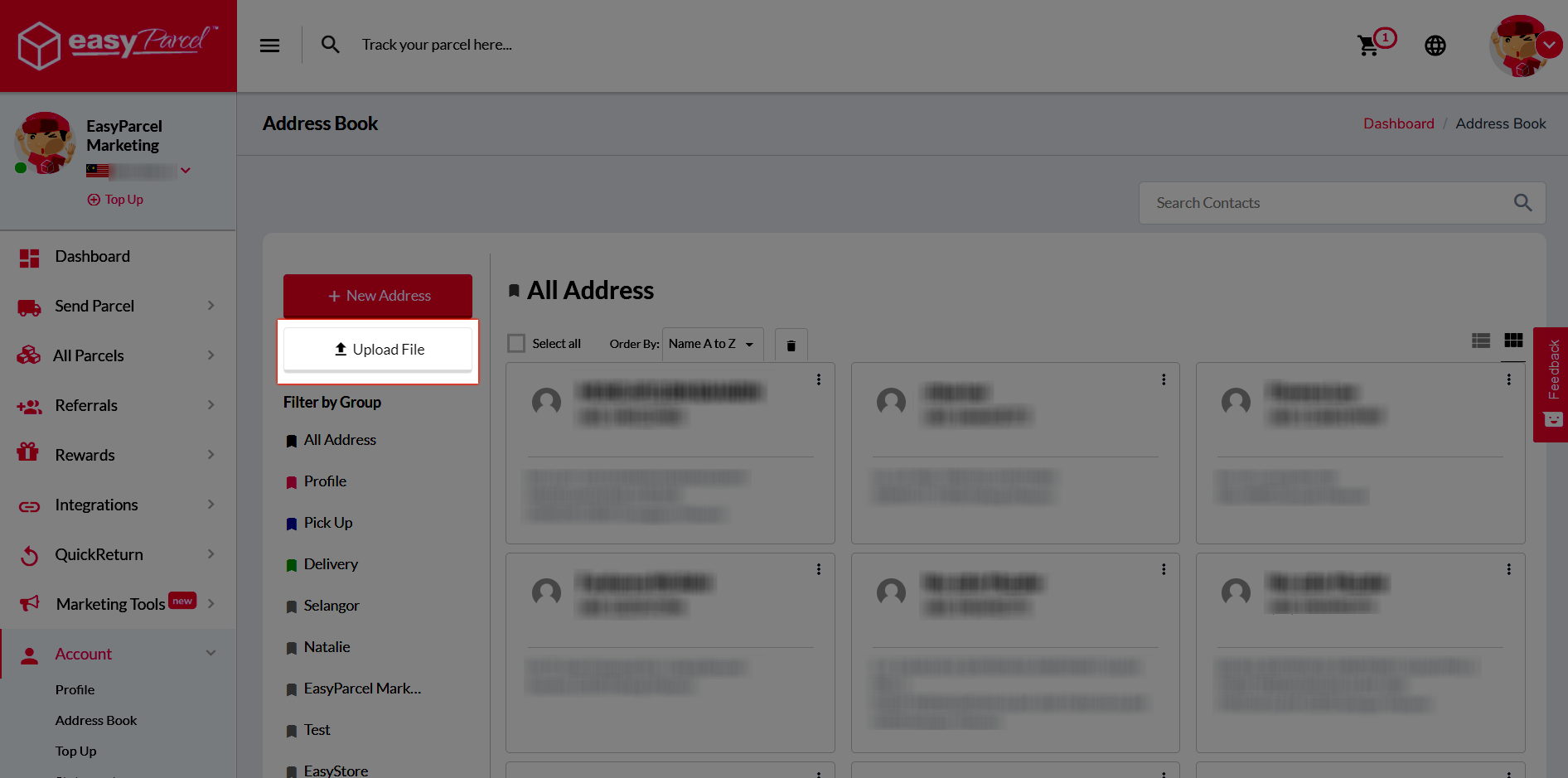
Step 2: Click the “Upload File” button.
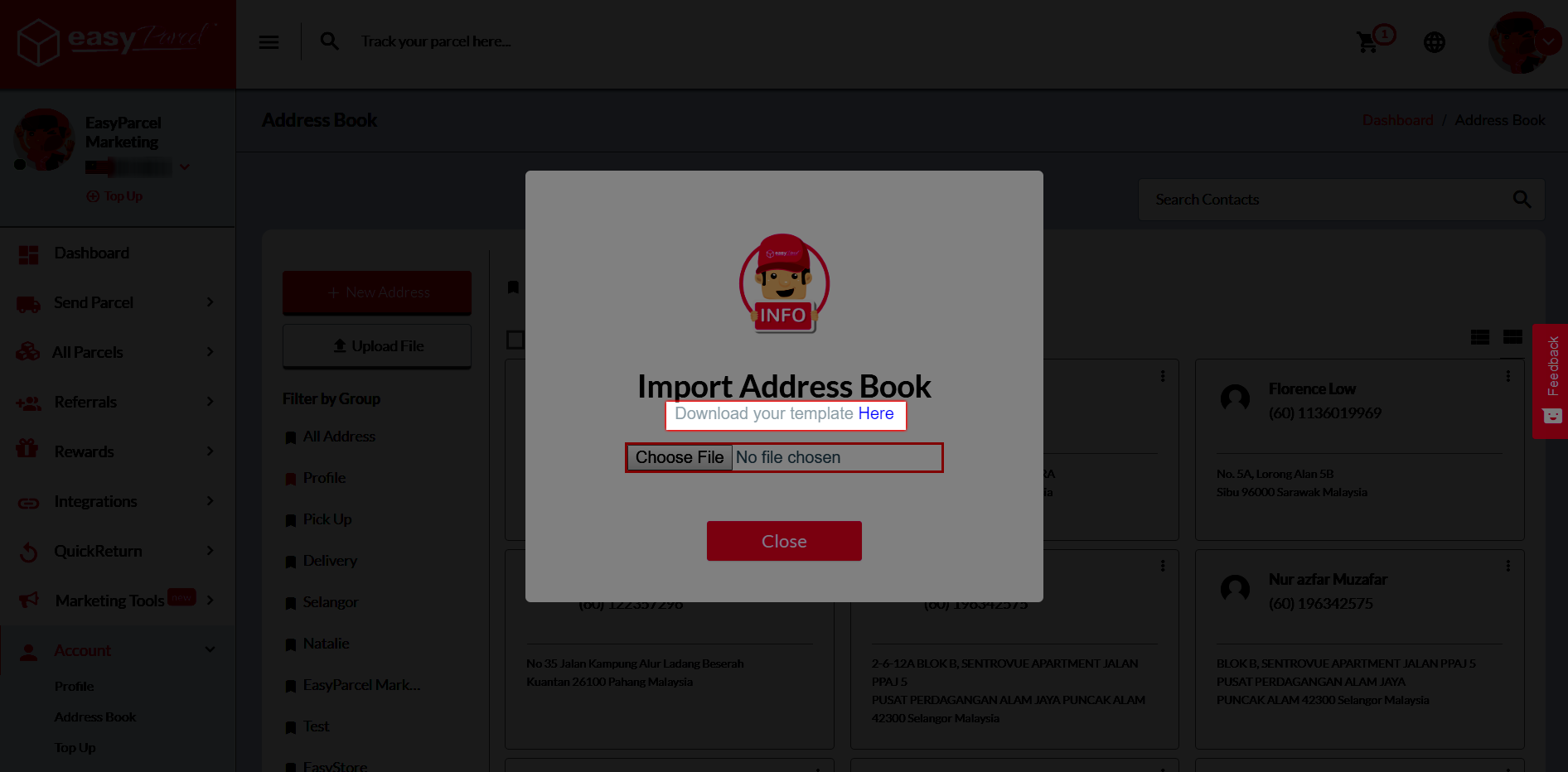
Step 3: Download the template by clicking “Here”.
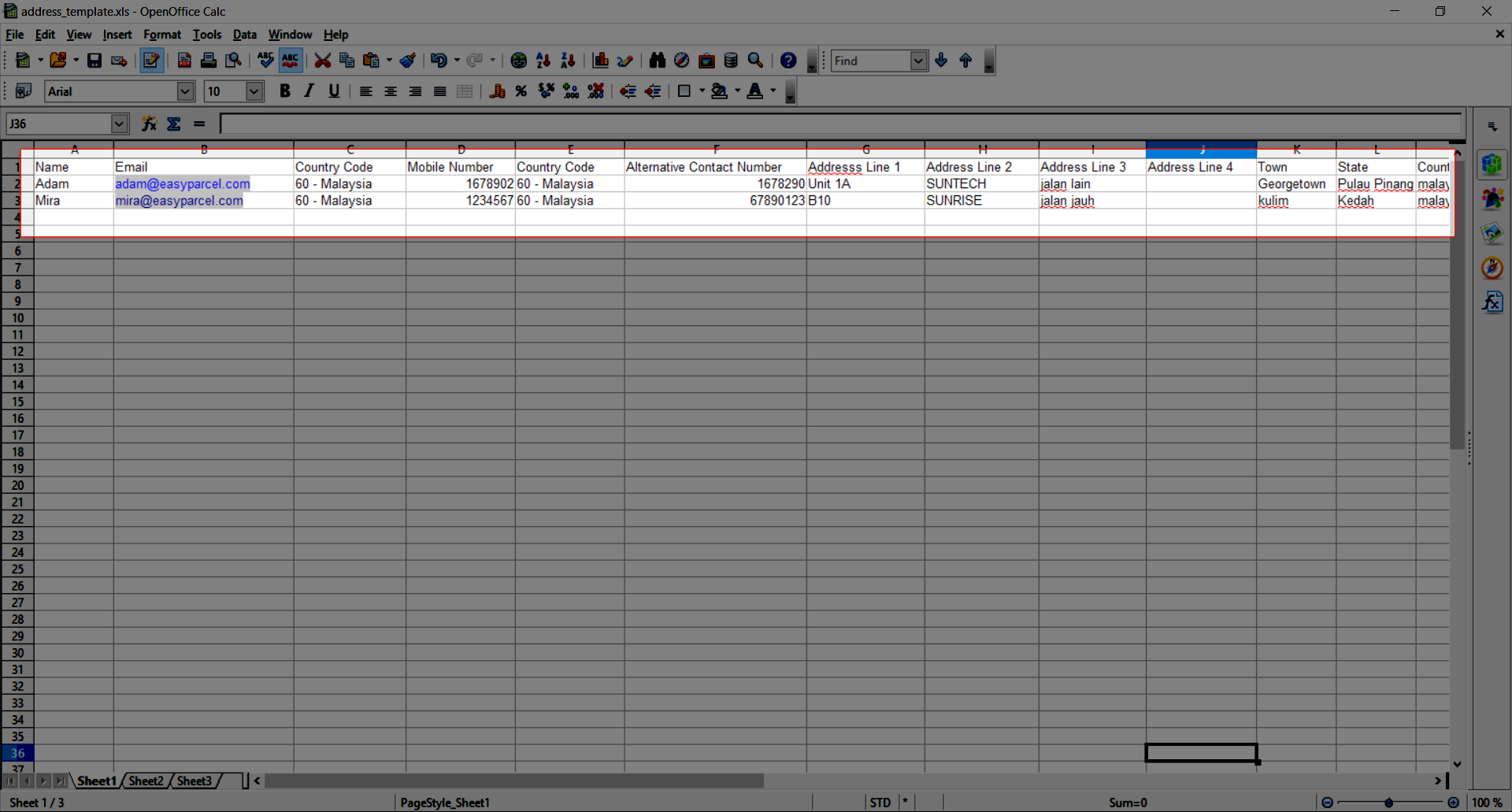
Step 4: Fill in the details in the template.
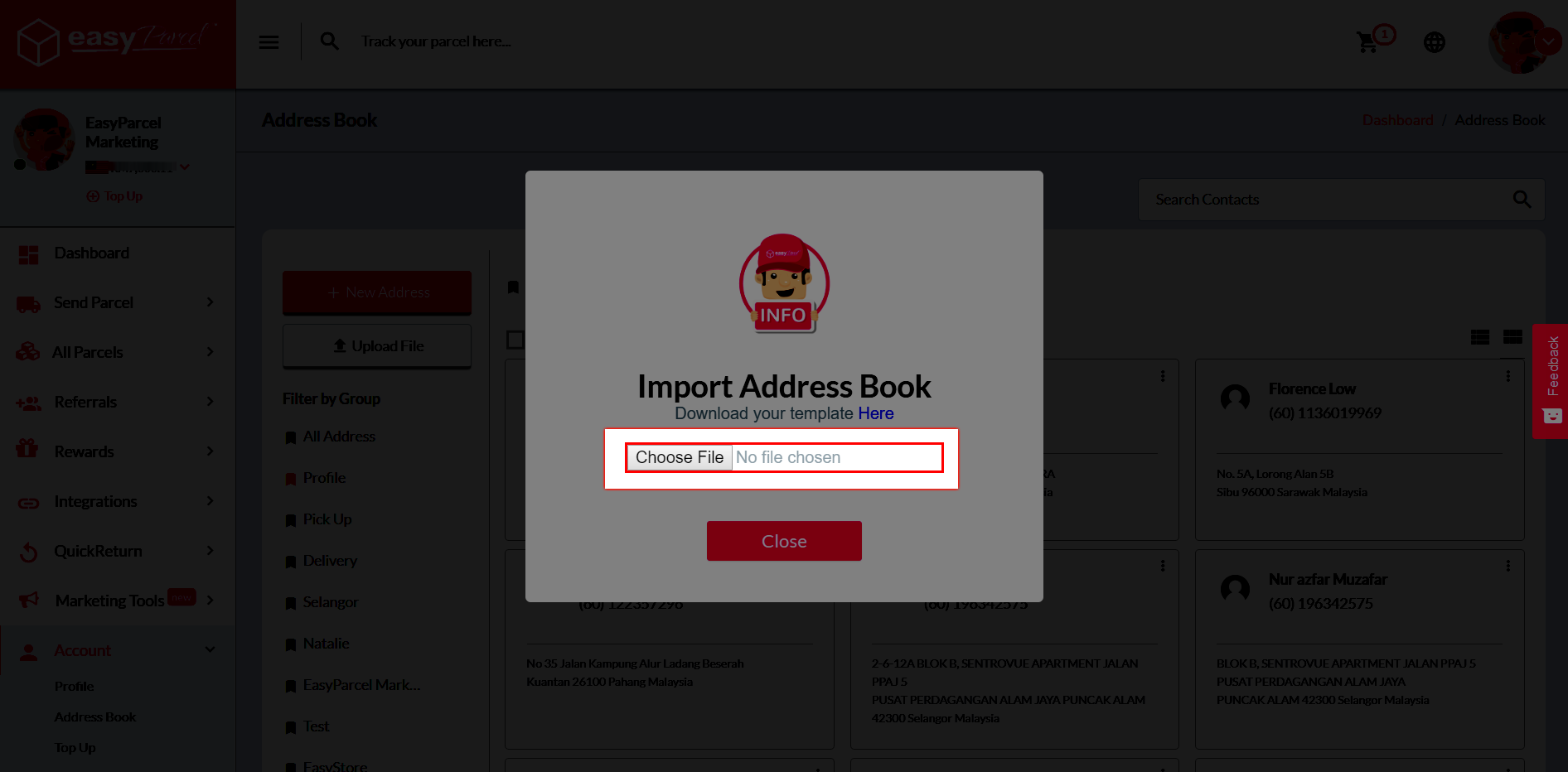
Step 5: Upload the template by clicking “Choose File”.
How To Search In Address Book?
Step 1: Go to “Account” and click on the “Address Book”.
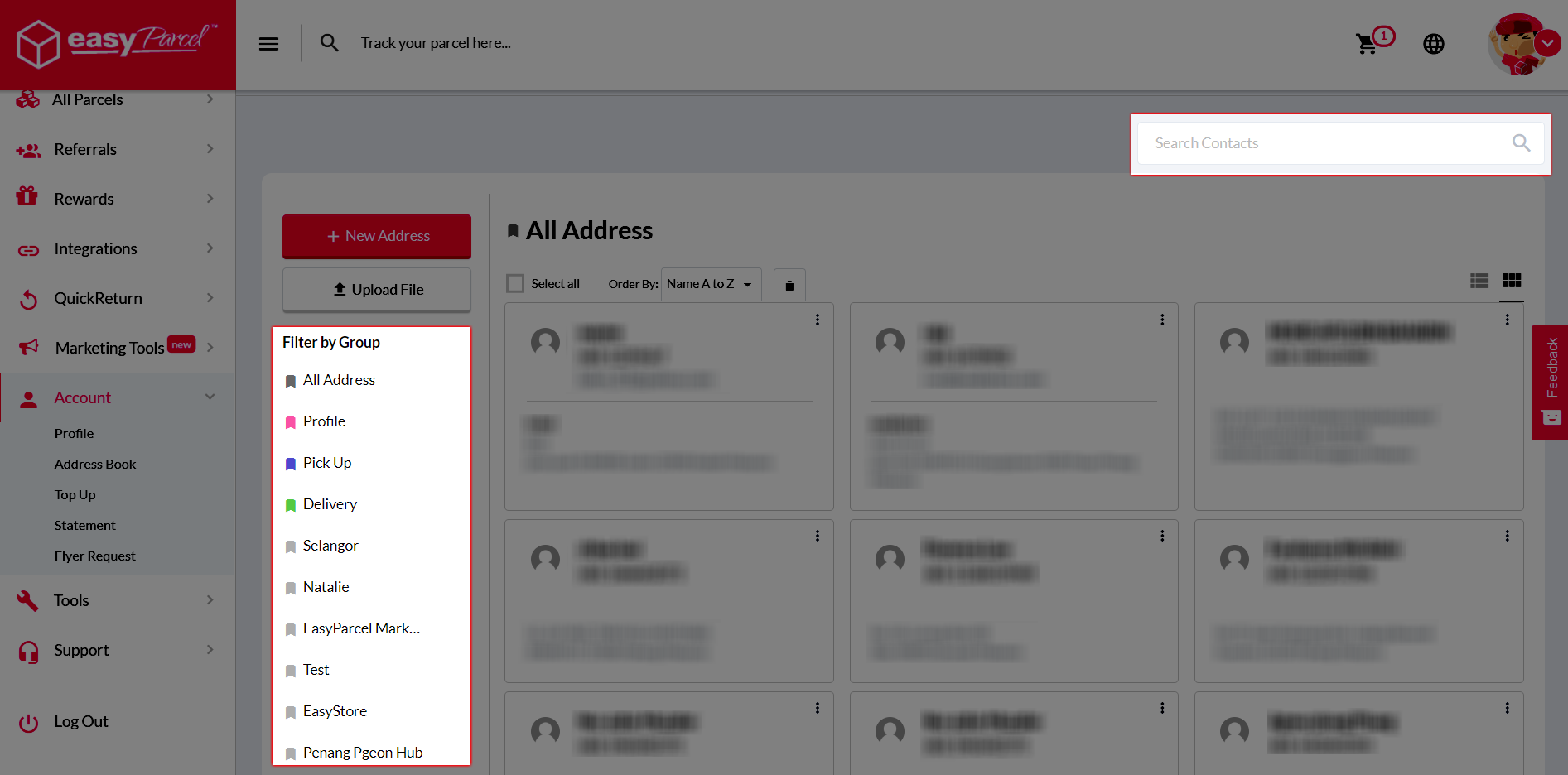
Step 2: You can now funnel your customers by key in value in the search bar or filter by group.
Hope you find this useful =) If you need any assistance, kindly contact us via:
1. Email to [email protected] (For support assistance)
2. or [email protected] (For sales enquiry)
3. or just buzz us via LIVE chat at EasyParcel.