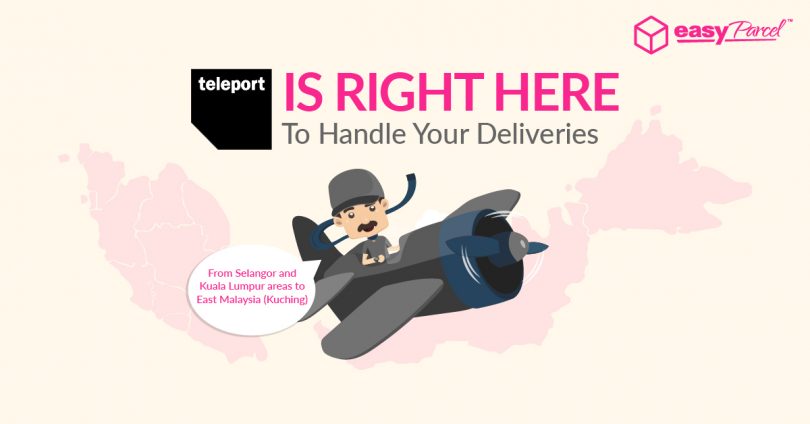
Never get caught in traffic again when you out to deliver a parcel in Selangor or Kuala Lumpur areas.
To make sure you can stay comfortable at home and send from your doorstep, we’ve bring in a brand new domestic courier partner – Teleport. Now, you have more courier choices as you can deliver shipment up to 30kg from Selangor and Kuala Lumpur areas to East Malaysia (Kuching) with Teleport.
Check out the coverage available with Teleport below:-
Pick Up From
| 52200 | 40460 | 40300 |
| 47820 | 40000 | 40400 |
| 47830 | 40150 | 60000 |
| 40160 | 40400 | 58200 |
| 47810 | 40200 |
Deliver To
| 93050 | 93100 | 93200 |
| 93250 | 93300 | 93000 |
| 93350 | 93400 |
And of course, more coverage will be coming to you in the near future! Be sure to read on Teleport’s service info:-
- Pick up available within Kuala Lumpur & Selangor; deliver to Kuching(East Malaysia).
- Book before 11.45am for same day pick up.
- Pick up time is from 12pm-2pm.
- 1-2 working days delivery within Teleport coverage areas.
- Delivery is unavailable to P.O Box and FELDA areas.
- Invoice needed for deliveries from/to East Malaysia.
- Maximum weight: 30kg
- Maximum dimension: 70cm x 70cm x 150cm
- Parcel weight will be determined by either actual or volumetric weight (VW) or whichever is higher. VM also applies if either one dimension is above 30cm.
VW formula =(height x width x length)cm /6000 - All rates quoted are nett rate inclusive of all surcharges.
- RM200 maximum insurance coverage
- Additional RM50 EasyParcel InsurePlus coverage for lost shipments.
How To Book Your Shipment With Teleport?
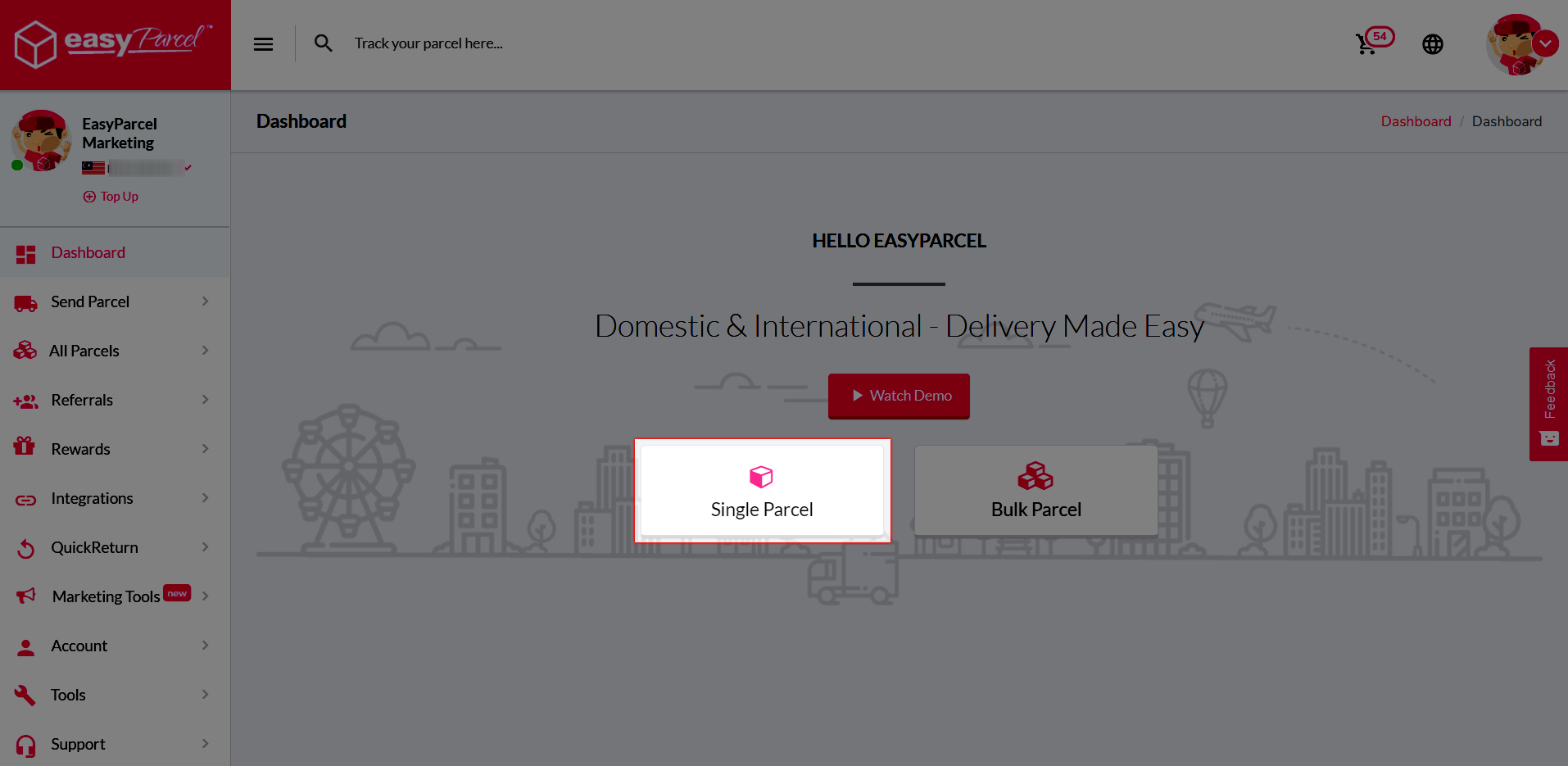
Step 1: Click on the “Single Parcel” on your dashboard.
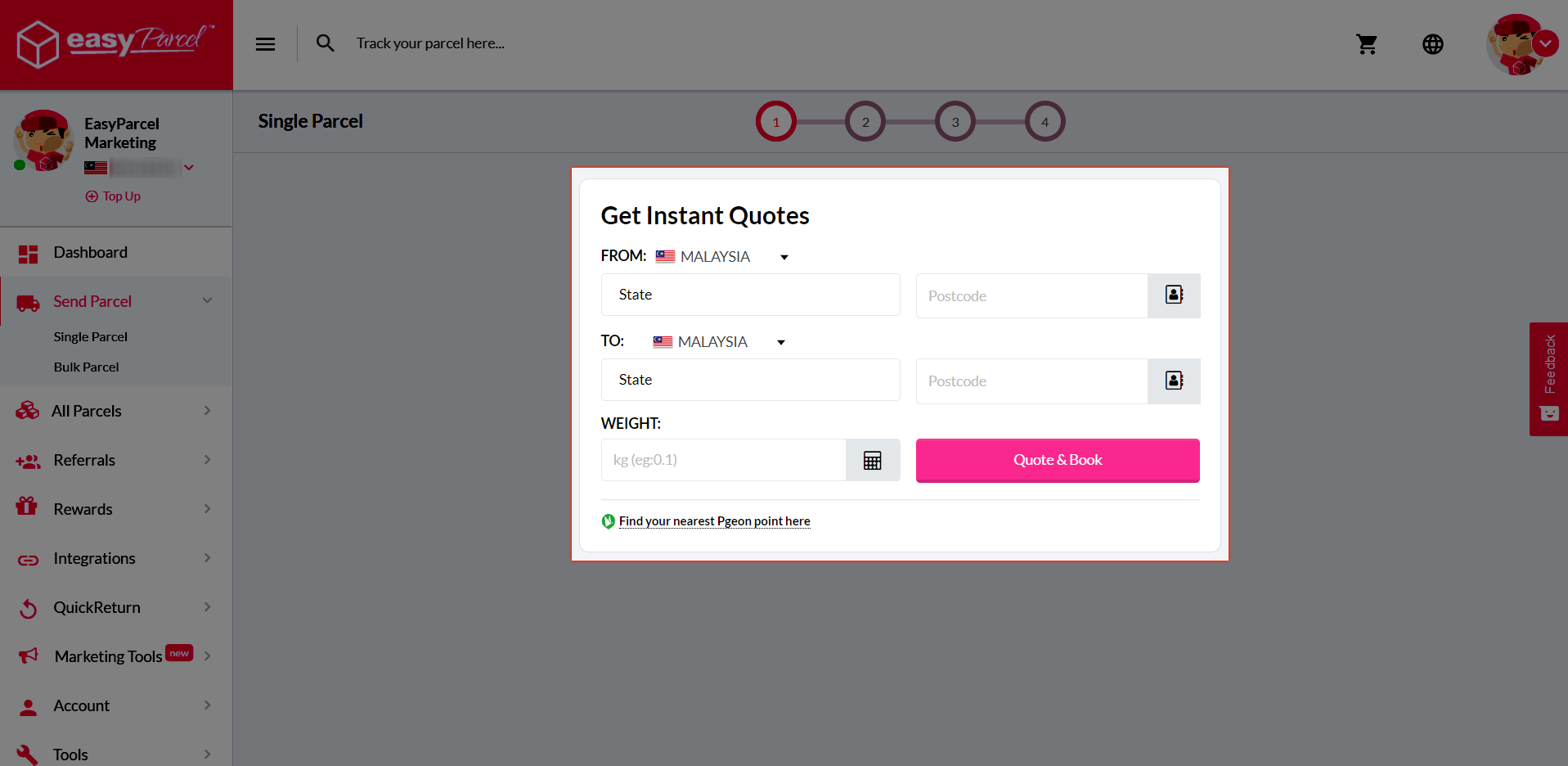
Step 2: Fill in your collection and delivery postcode with the weight of the parcel. Click “Quote & Book”.
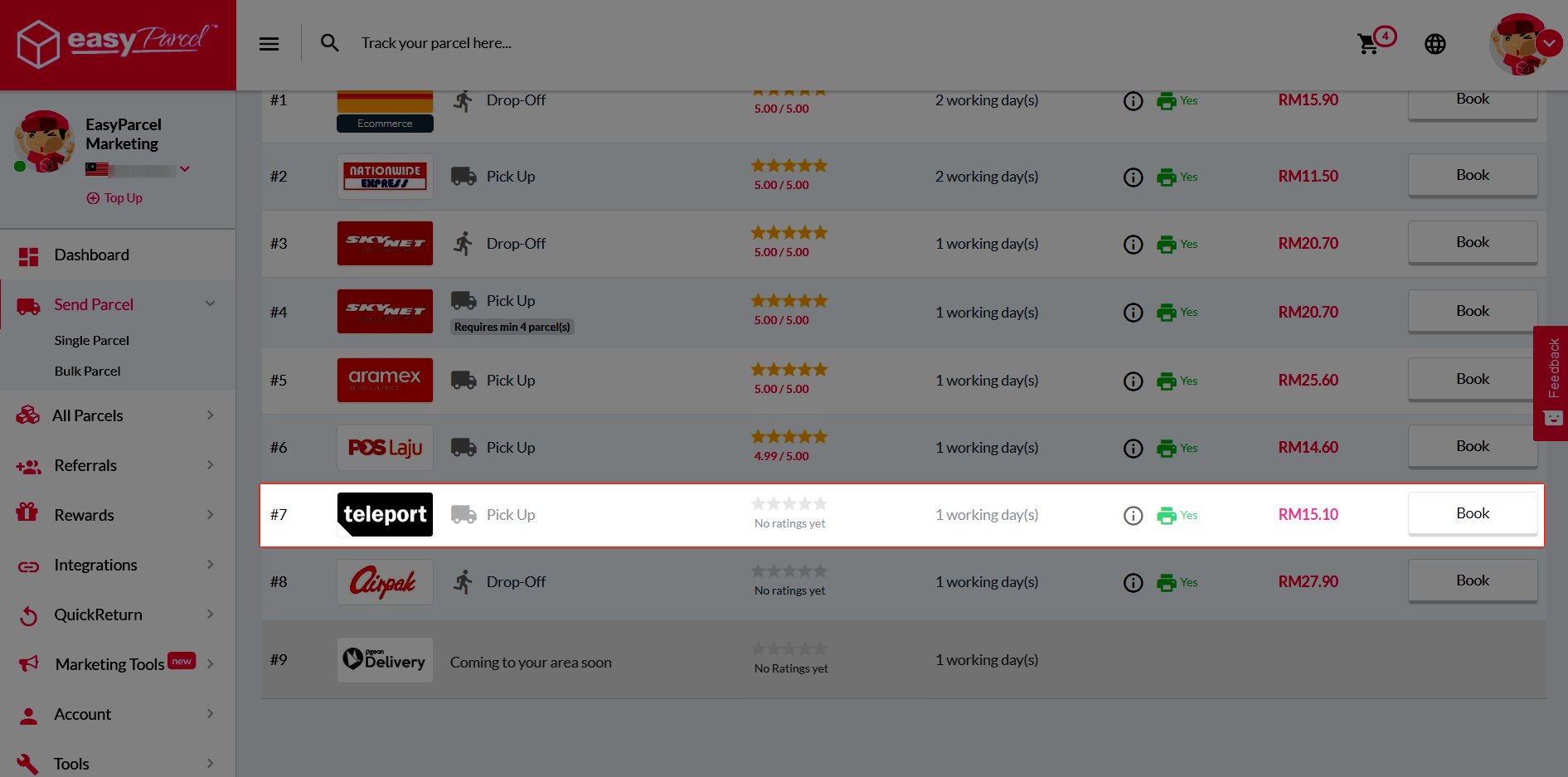
Step 3: Choose Teleport and click “Book”.
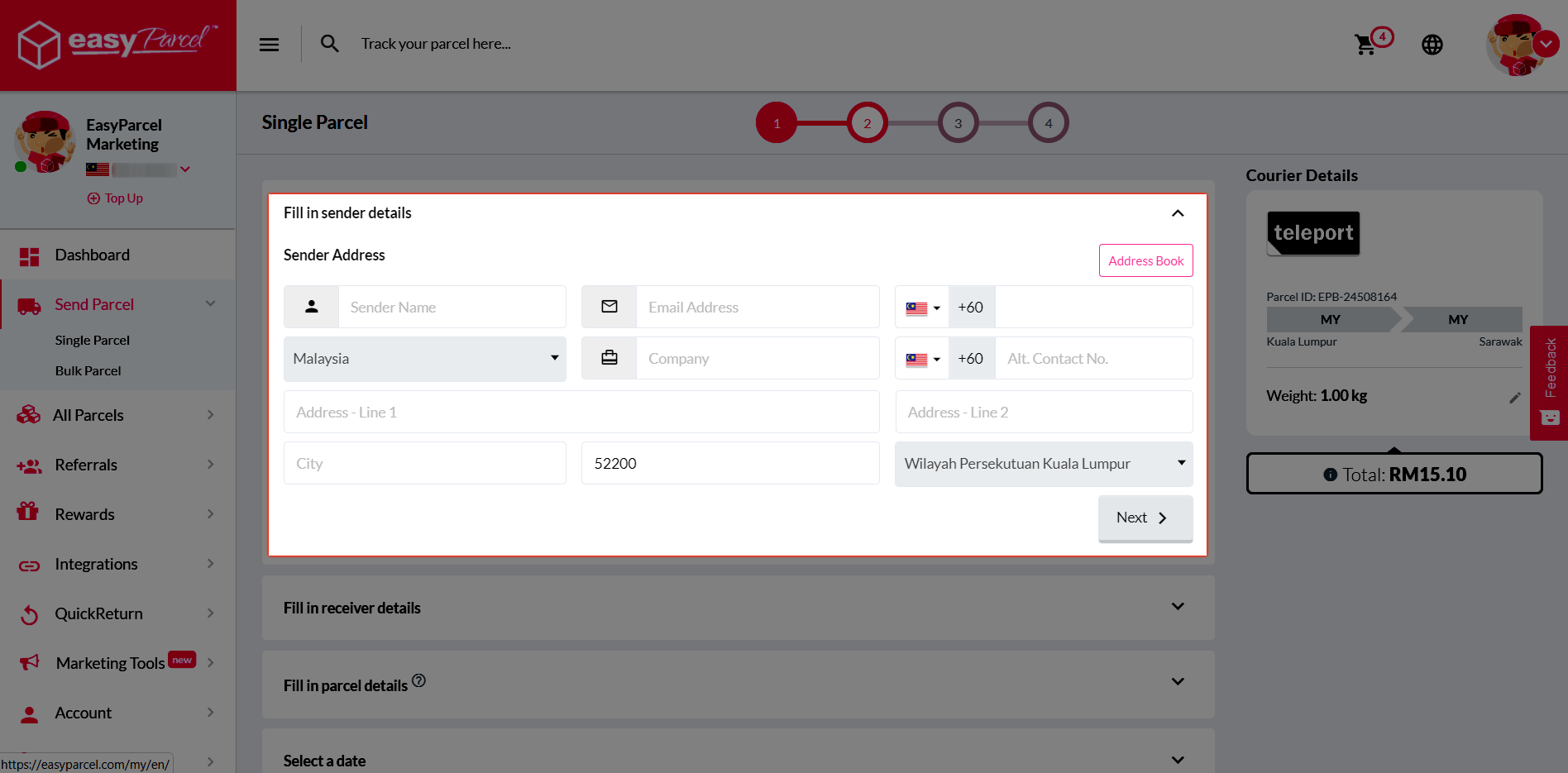
Step 4: Fill in the sender details.
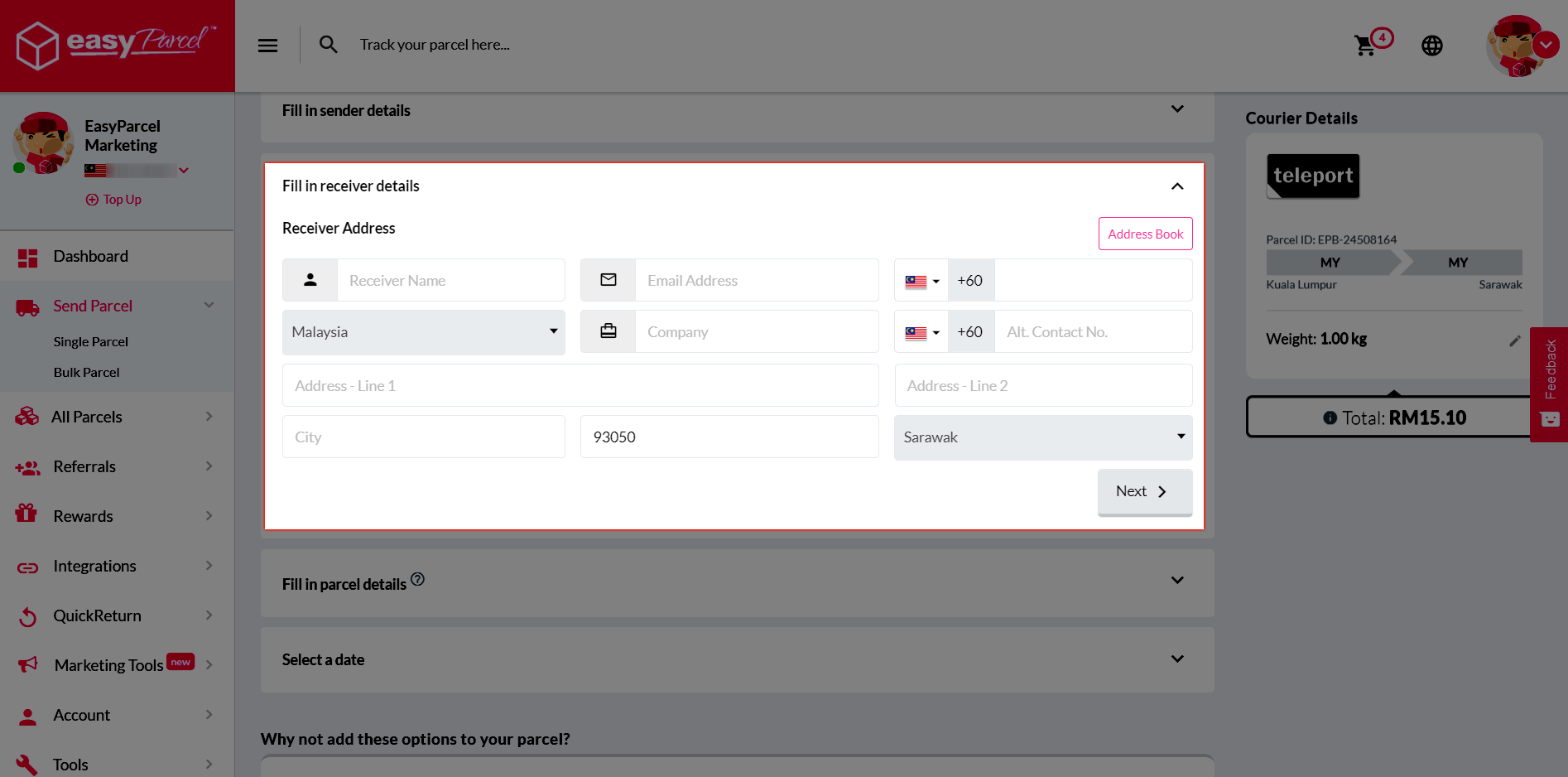
Step 5: Fill in the receiver details.
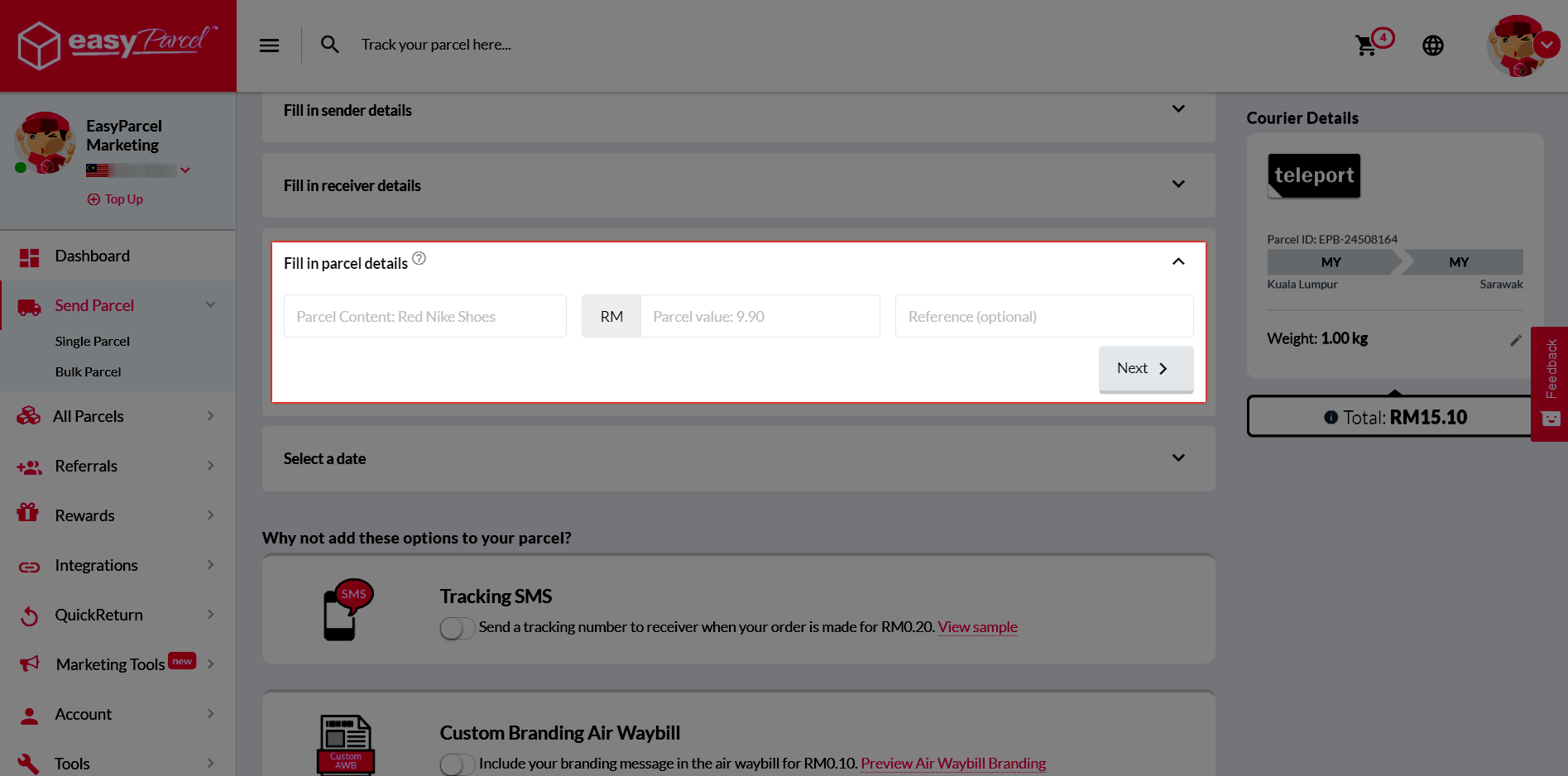
Step 6: Fill in the parcel details and its value.
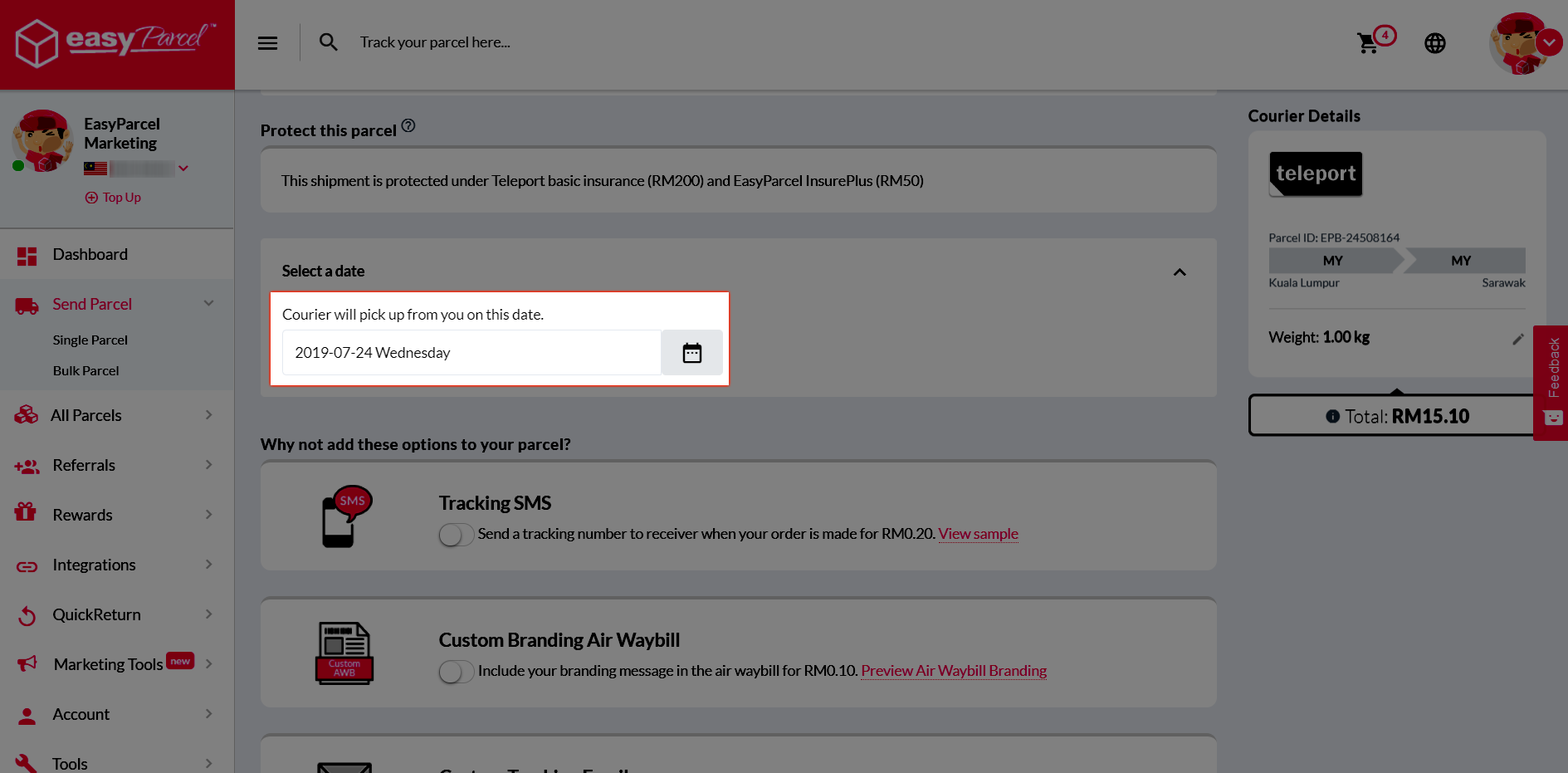
Step 7: Choose pick up date at your convenience.
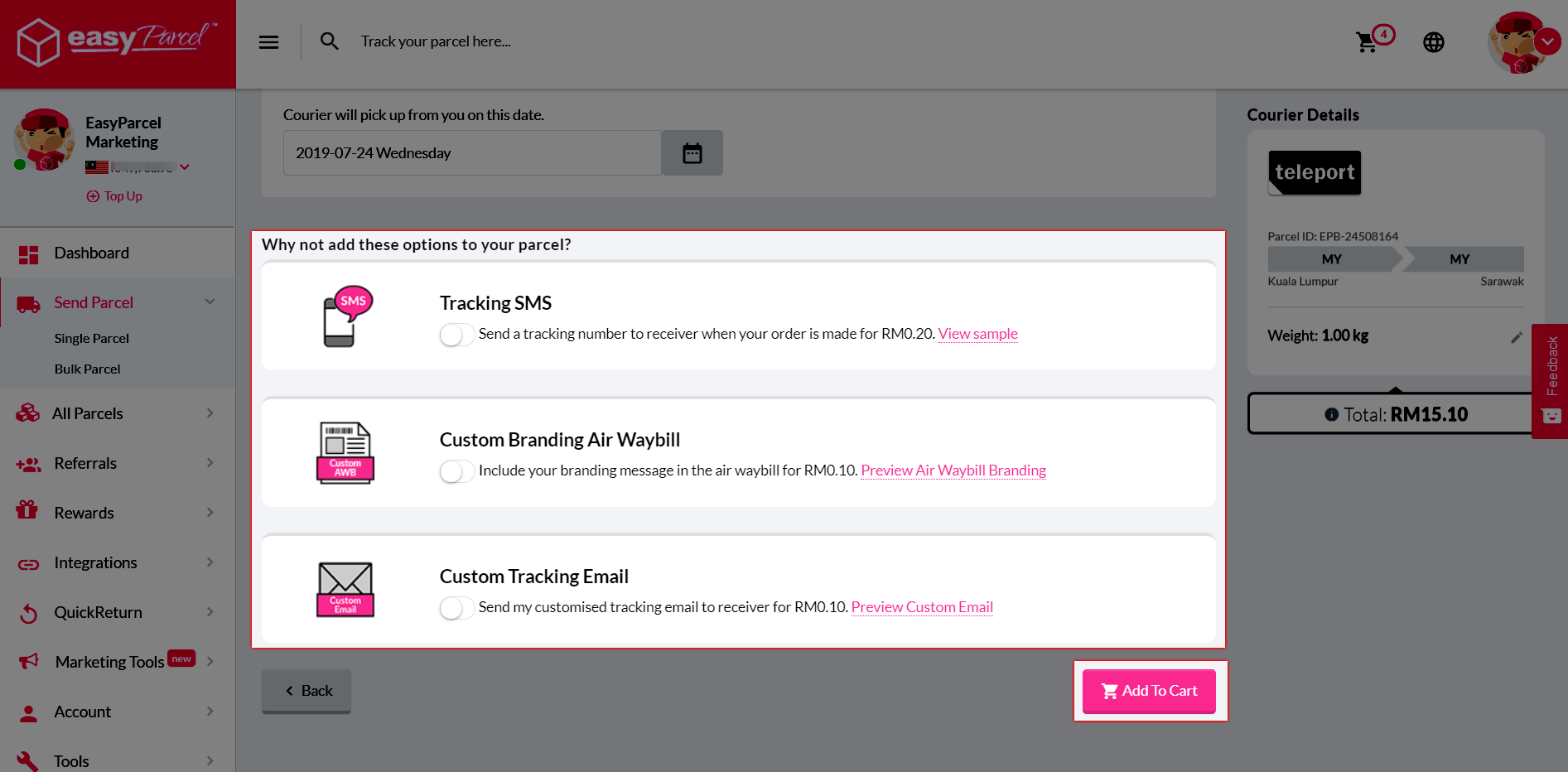
Step 8: At here, you can choose Tracking SMS, Air Waybill Branding and Custom Tracking Email at your preference. Then, click “Add to Cart”.
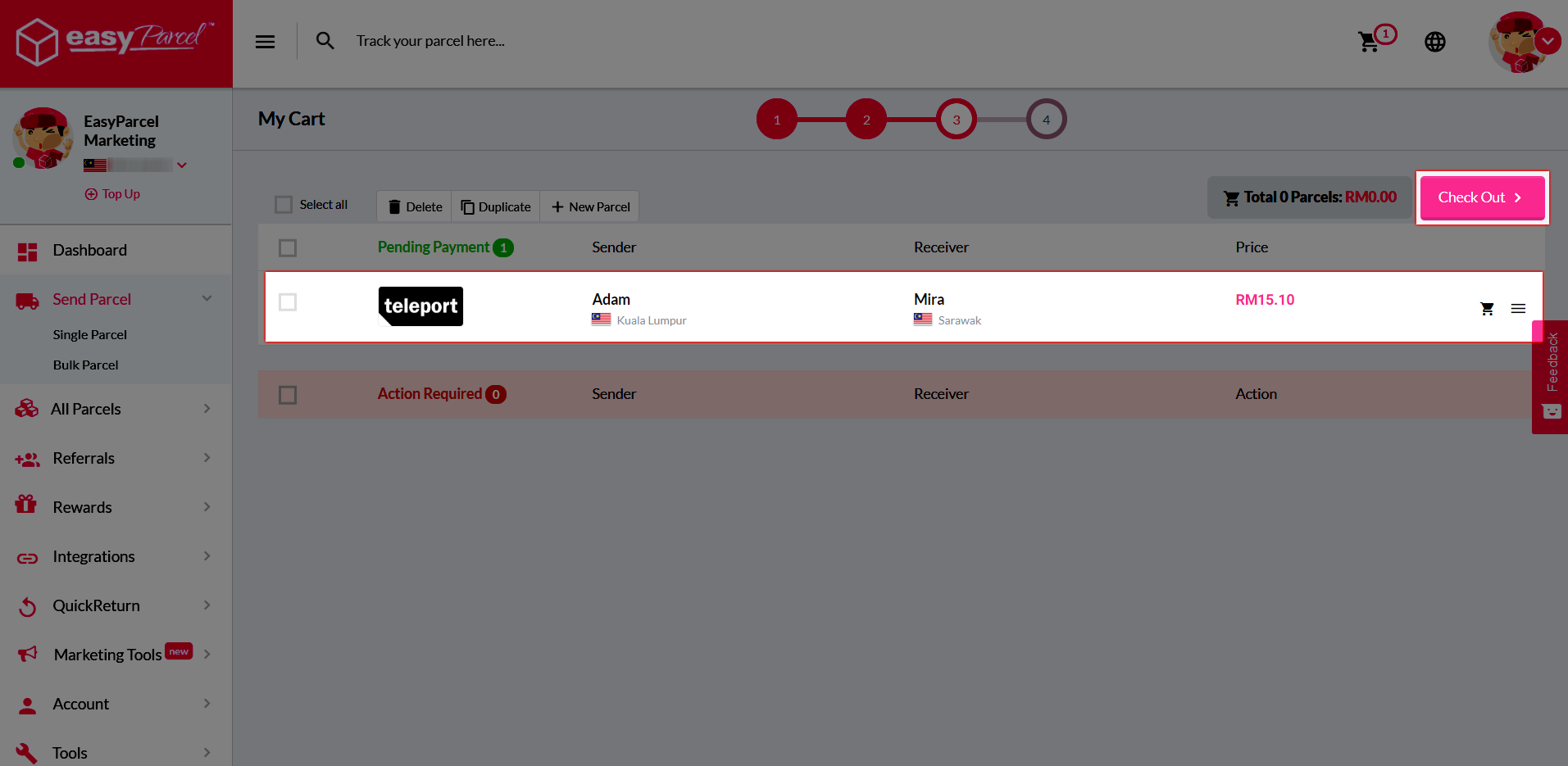
Step 9: Confirm your order and proceed to payment by clicking “Check Out”.