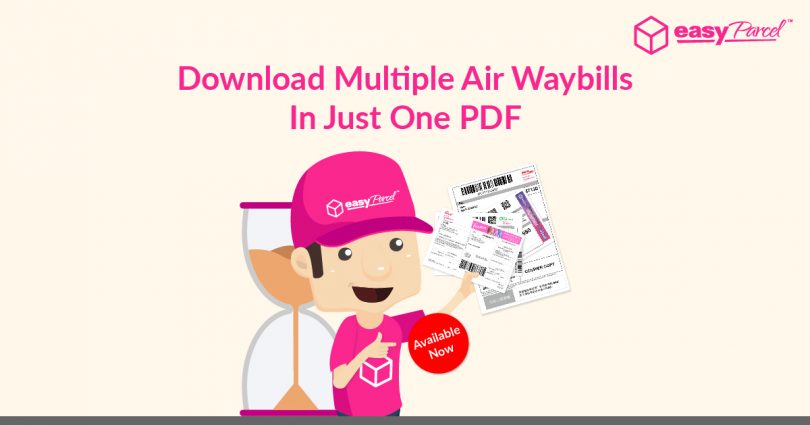
Life is too short for you to camp in front of your laptop to print air waybills one-by-one. And this is where we come in to make your work easy!
No longer print air waybills day in day out, you can now print bulk air waybills in just one merged PDF file. That means, you simply have to download the air waybills as we’ll merge them into a PDF file automatically within seconds, and then your printer will works for you with a click on your mouse.
Fret not as we also prepared a file folder for separated air waybills so you can print selected air waybills according to your needs as well!
How To Download Bulk Air Waybills In One PDF?
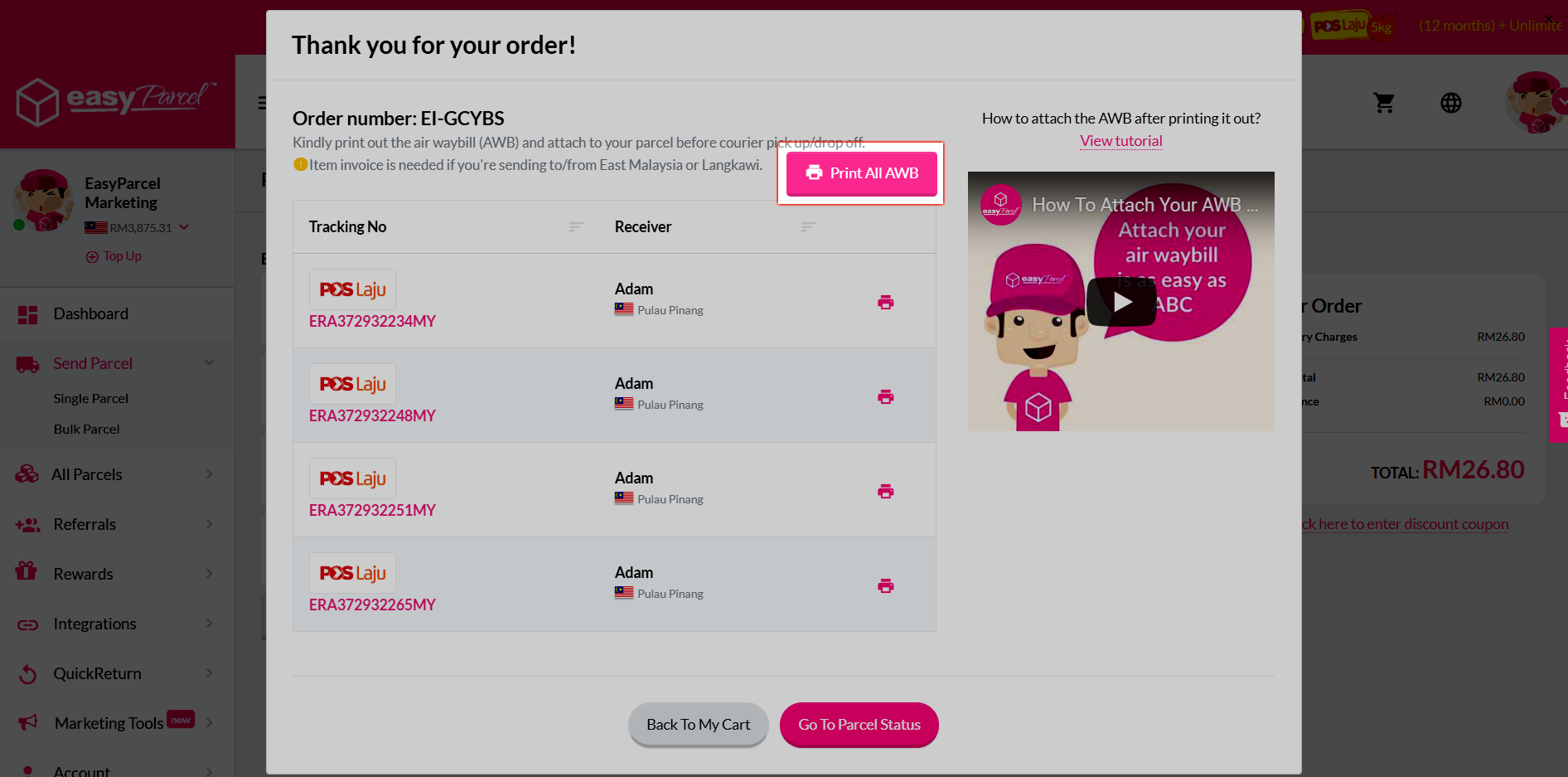
Step 1: Once payment is done, you can click on “Print All AWB” button in the pop up window to download.
OR else, you can choose to:-
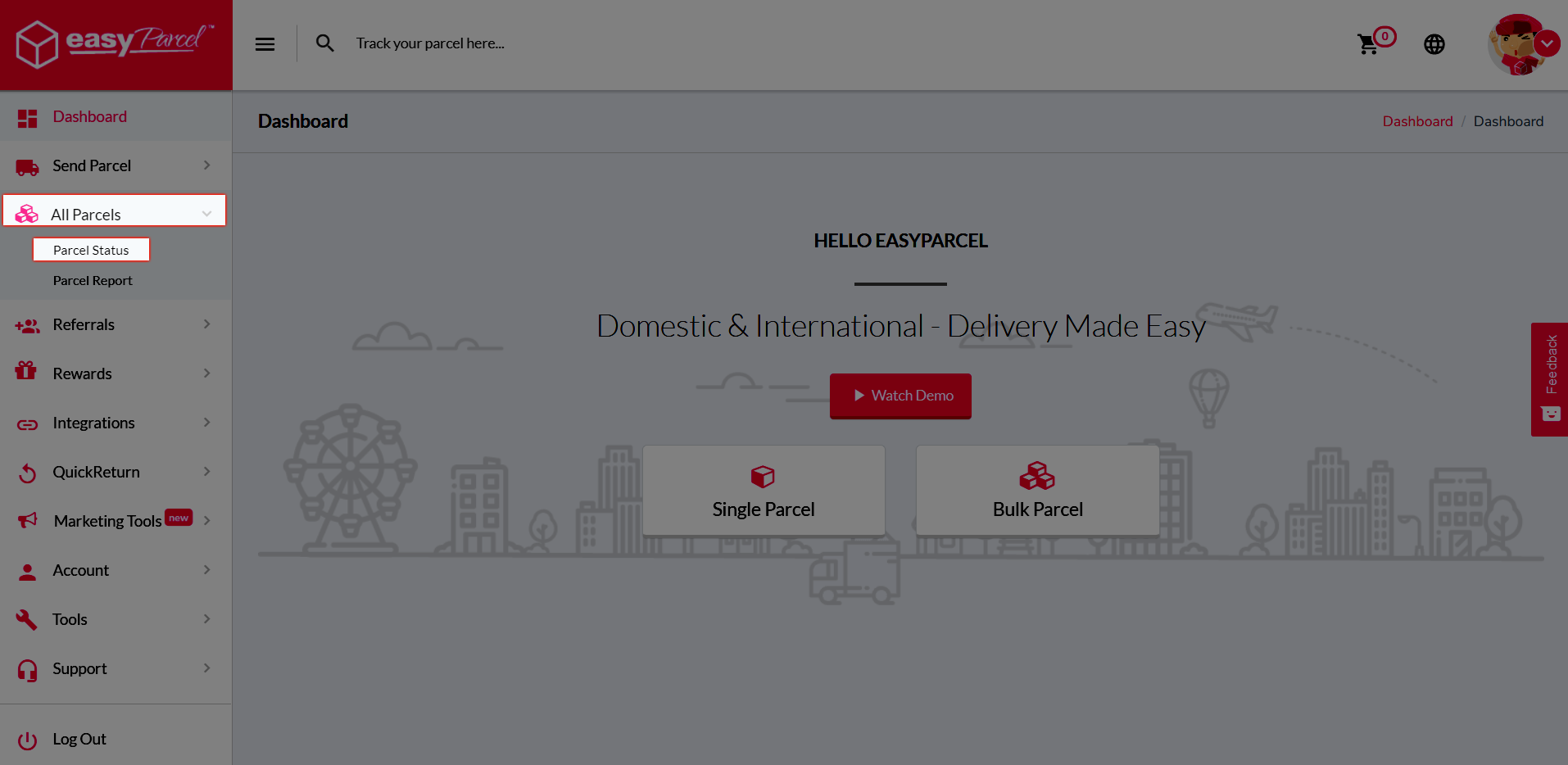
Step 1: Go to “All Parcels” then click on “Parcel Status”.
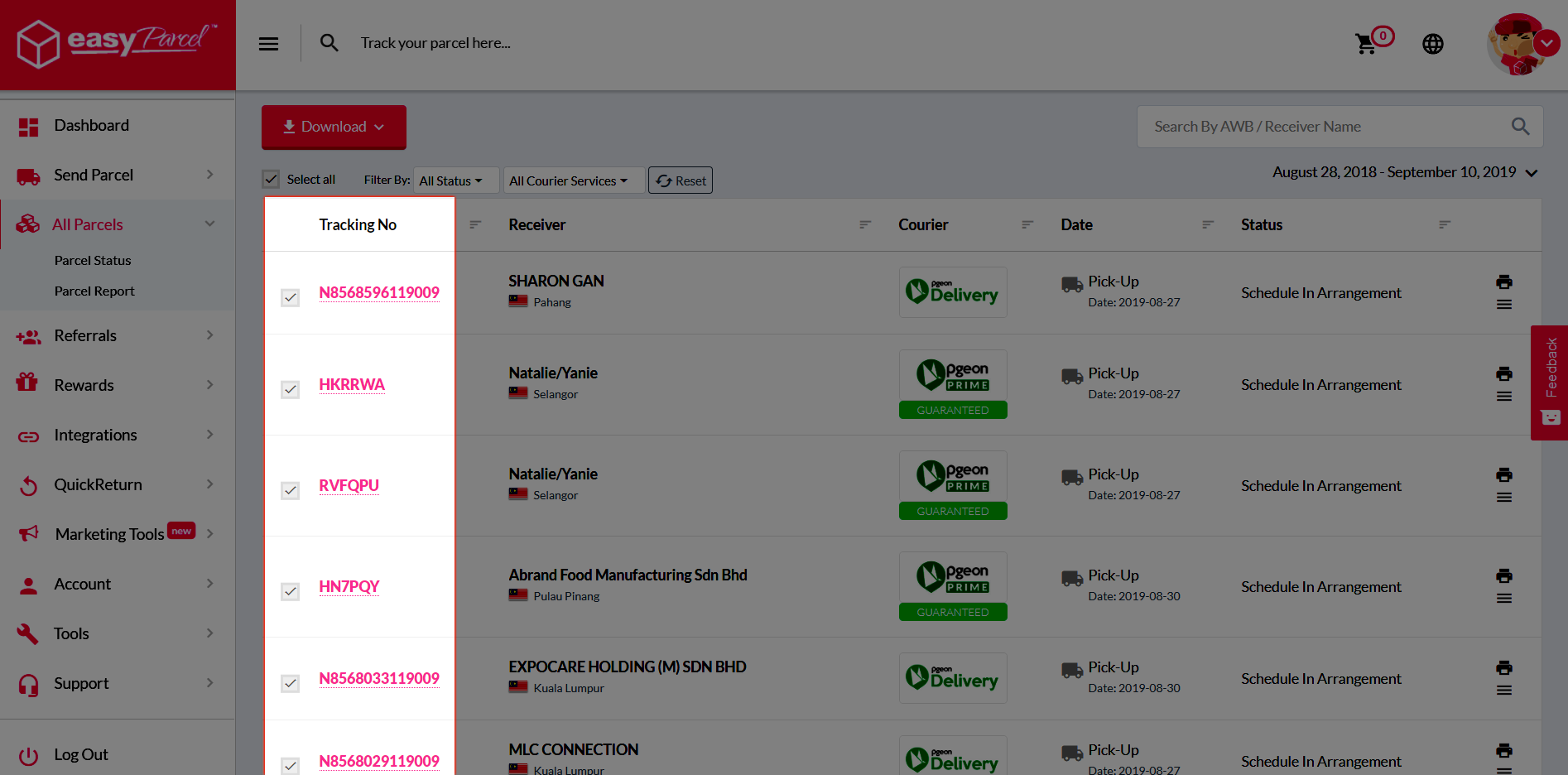
Step 2: Select whichever orders you want.
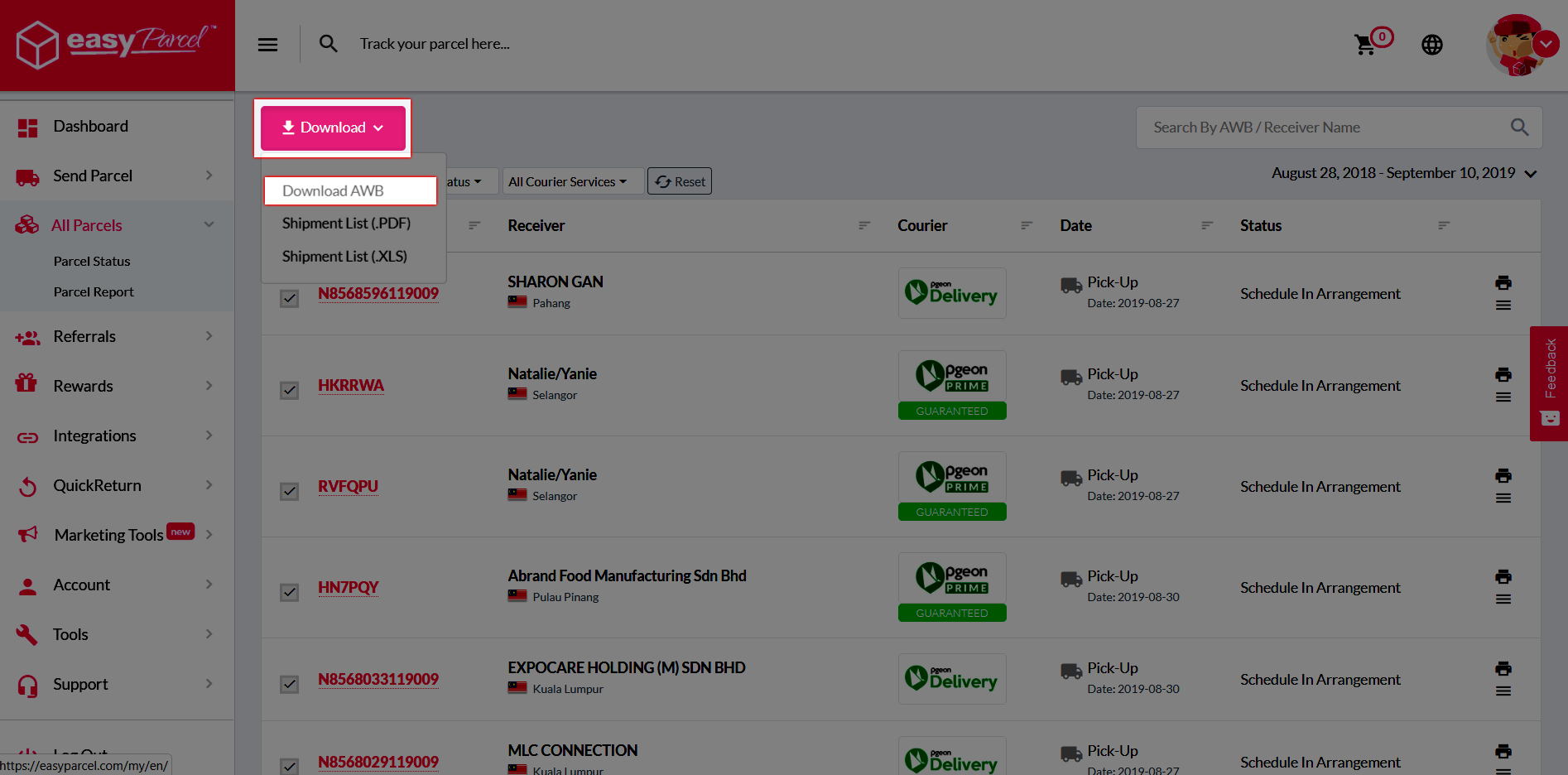
Step 3: Click on the “Download” button and continue with “Download AWB”.
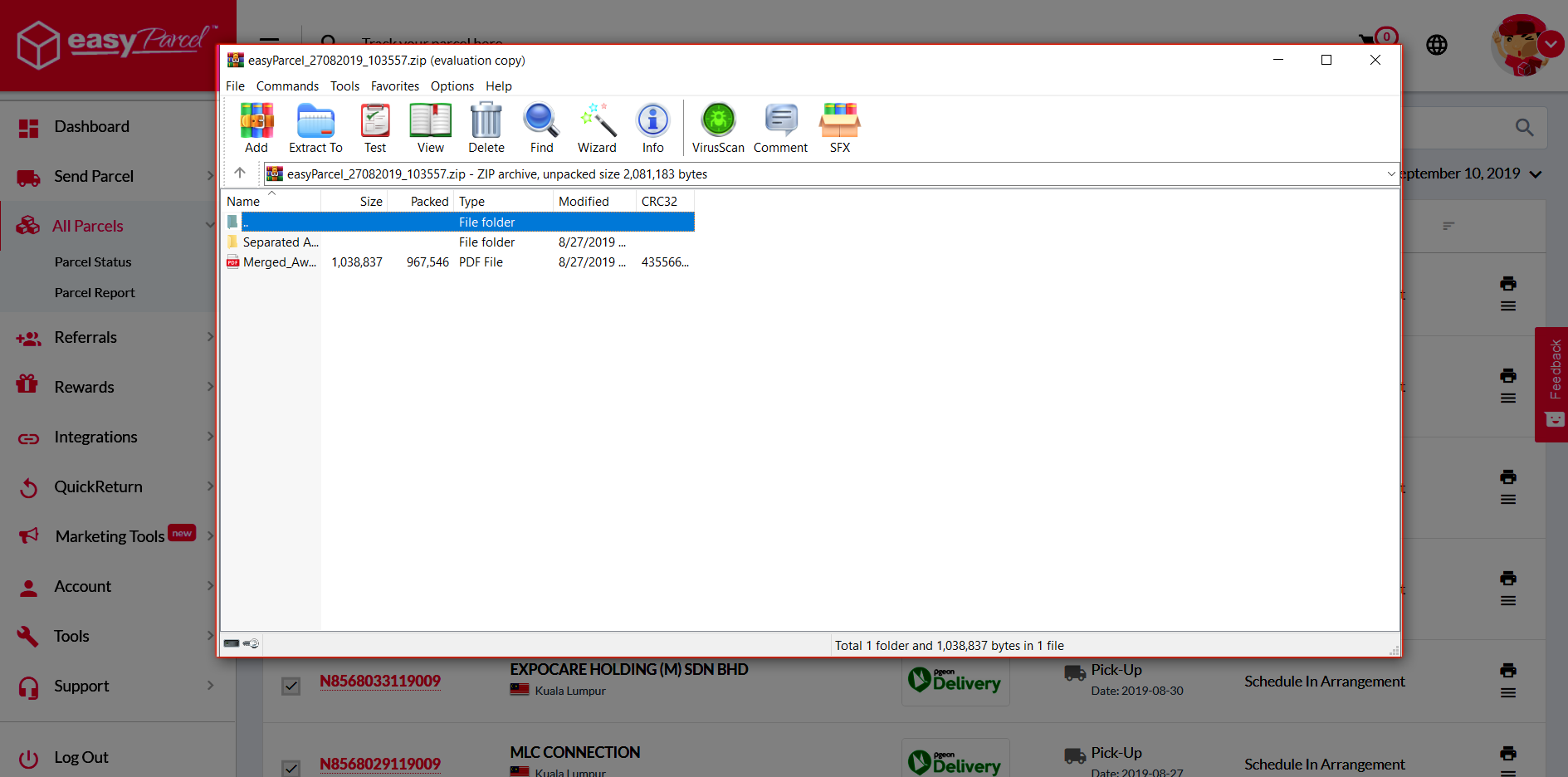
Step 4: You’ll able to see “Separated AWB” and “Merged AWB” in the downloaded zip file.

Step 5: Click on the “Merged AWB” and you’ll able to see all the selected air waybills in one PDF file.