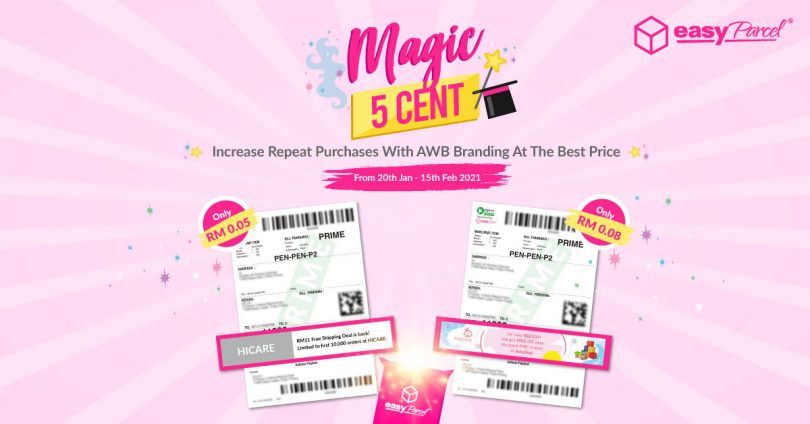
Let’s do a flashback: what’s the first reaction when abang posmen got your parcel delivered to you? Of course, check on the air waybill for sure!
You’re not alone because 9 out of 10 people will do so as well. That’s right, don’t leave the chance to cross-sell or upsell your existing customers by putting your promotional message on the air waybill.
Best of all, with our latest ‘Magic 5 Cent’ campaign, you’re now given UP TO 50% OFF when you use the Air Waybill Branding starting from 20th January until 15th February 2021! No promo code needed, just book your shipment as usual and turn on AWB Branding to enjoy this promotion for unlimited instead!
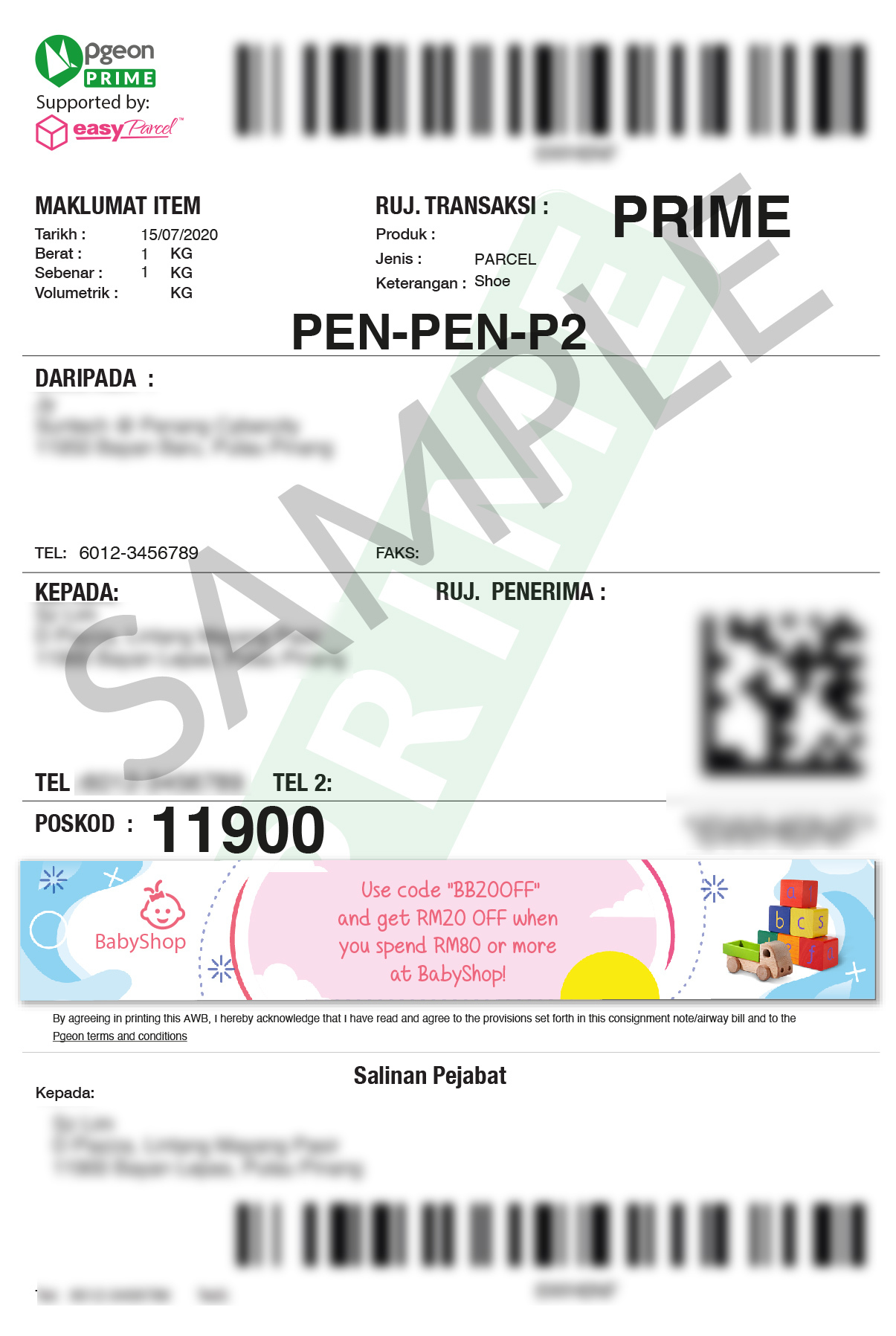
Plus, there’re 2 formats you can pick for your Air Waybill Branding! You can create either in Promotional Text or Promotional Banner.
Promotional Text
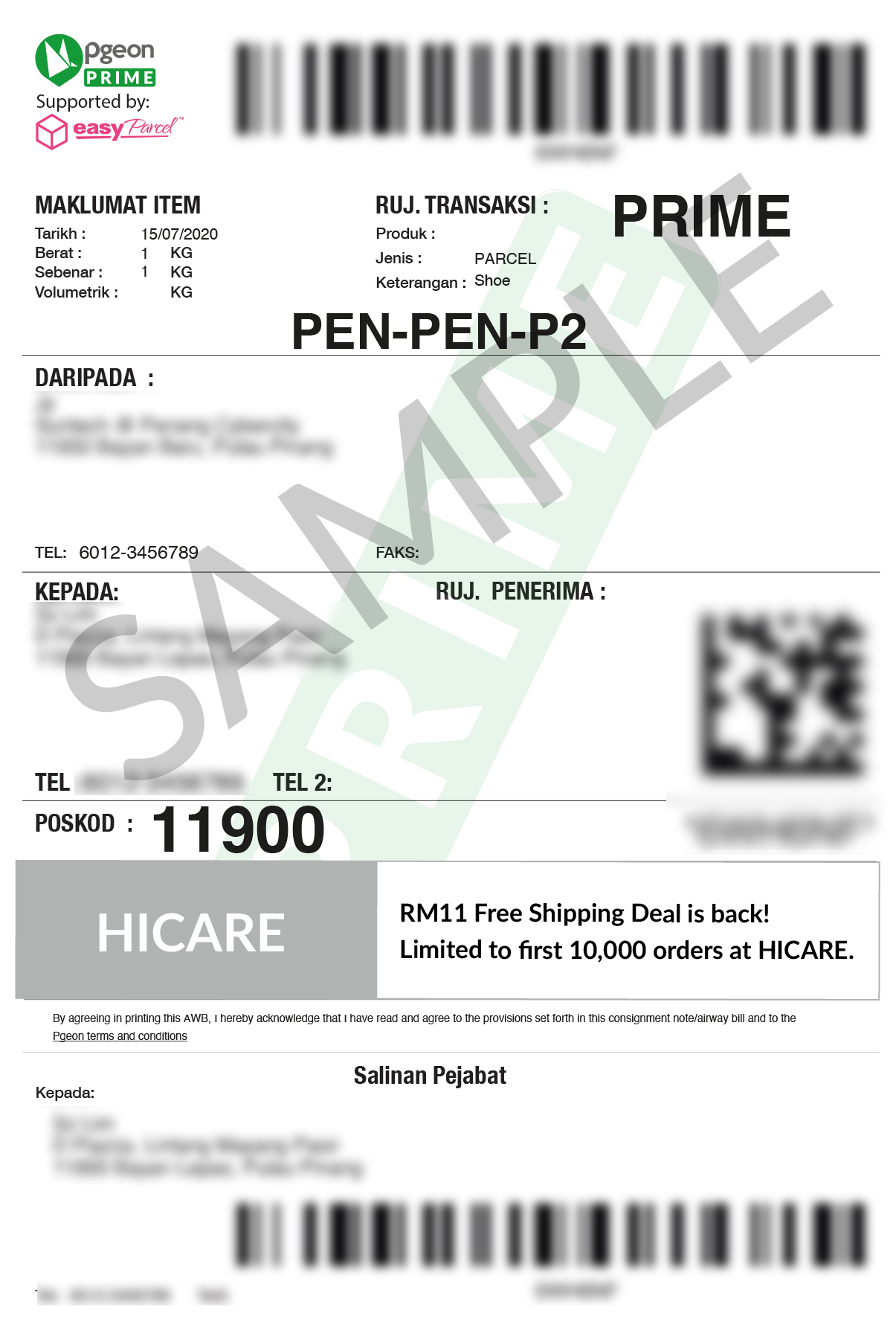
Promotional Banner
Take a look at the table below for promo rates during this ‘Magic 5 Cent’ campaign which can definitely help you to market your brand on a shoestring budget.
| Promotional Formats | Promotional Rate From 20th Jan Until 15th Feb 2021 |
| Promotional Text | RM0.05/AWB (NP:RM0.10) |
| Promotional Banner | RM0.08/AWB (NP:RM0.15) |
Wait! Before you want to tell us that you don’t have any design knowledge or skills to come out with all these eye-catching banners…Don’t worry as we have prepared some ready-to-use templates which you can download for FREE – woohoo!
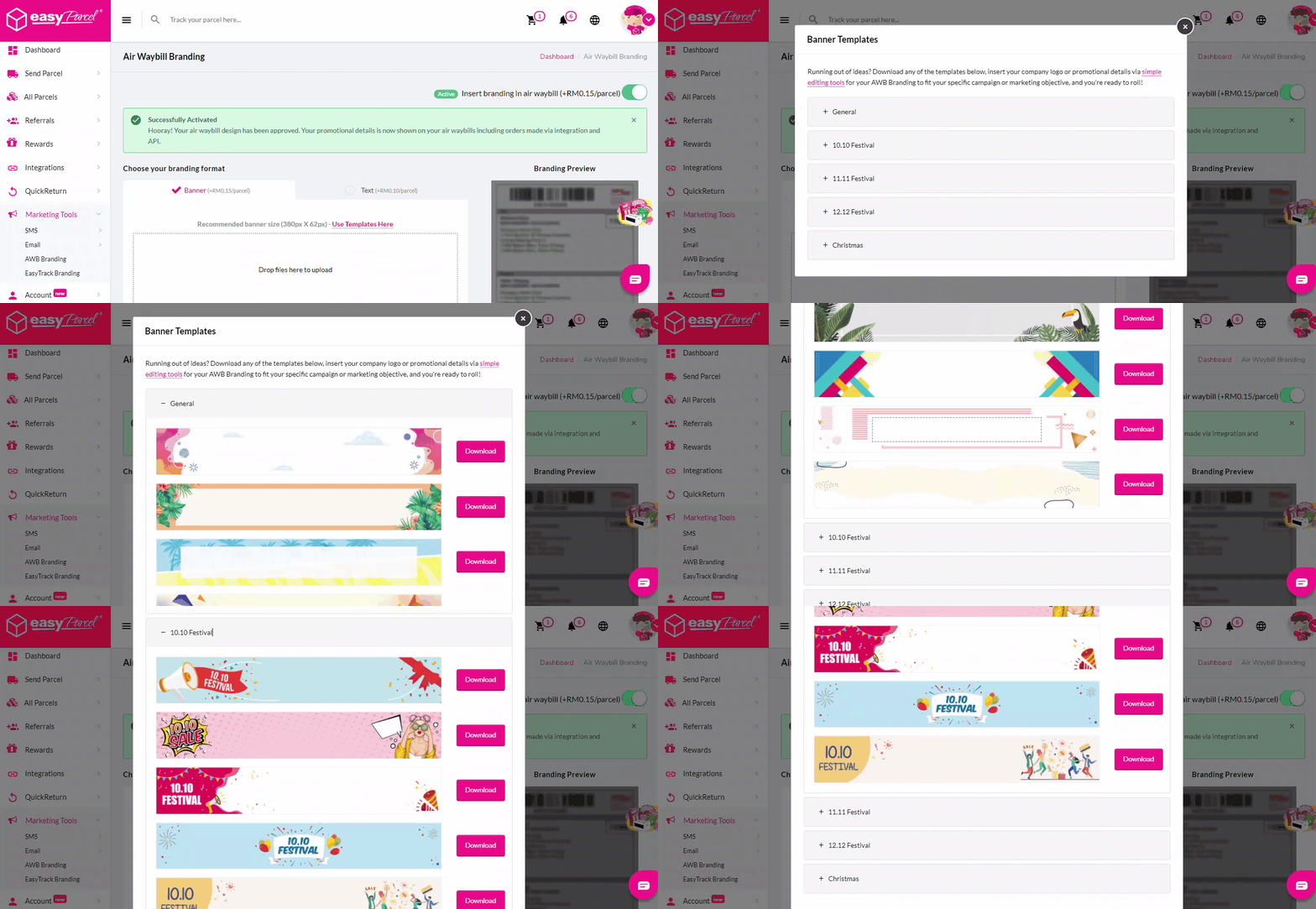
Also, to create your very own Air Waybill Branding is as easy as ABC! Below shows the steps on how you can create it.
Here’s How To create Your Air Waybill Branding
Watch the GIF tutorial here:
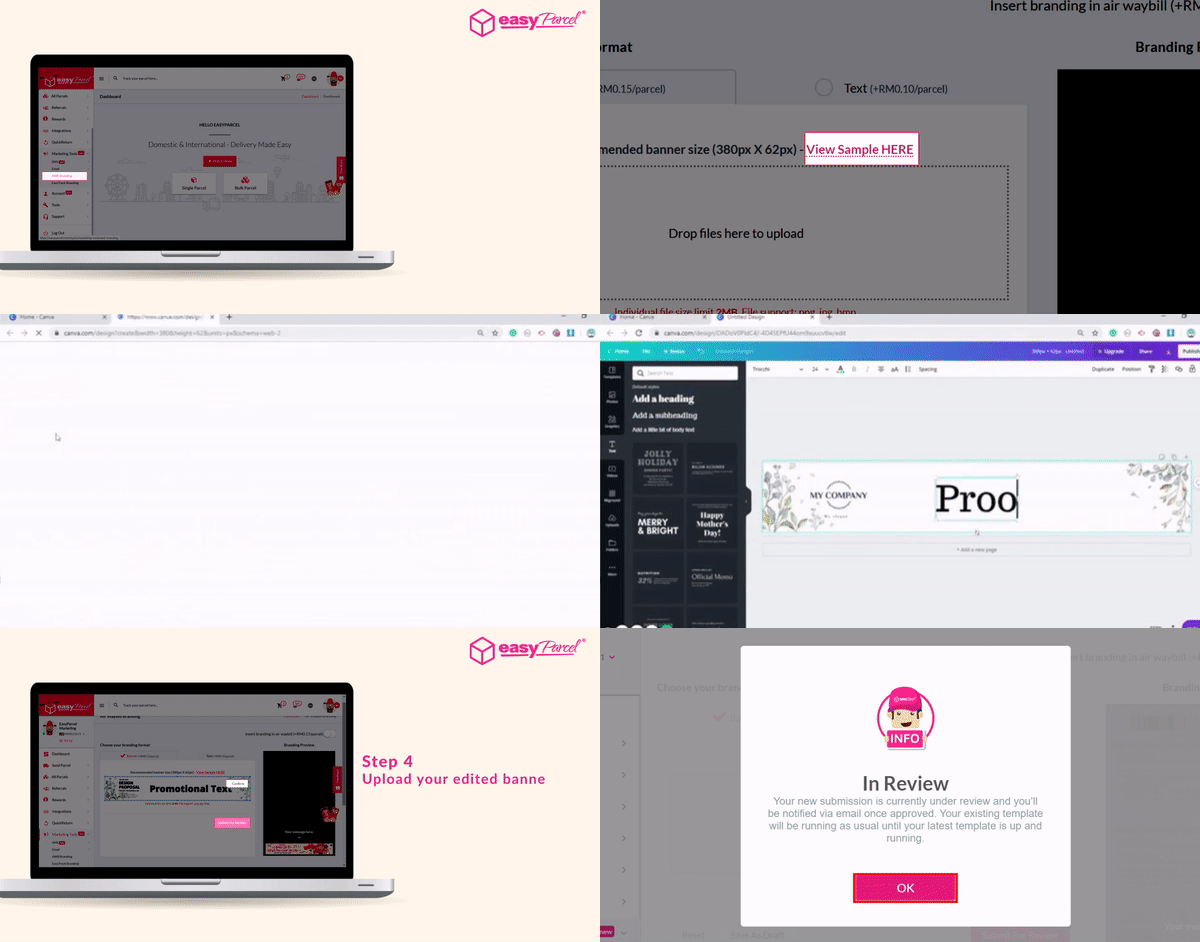
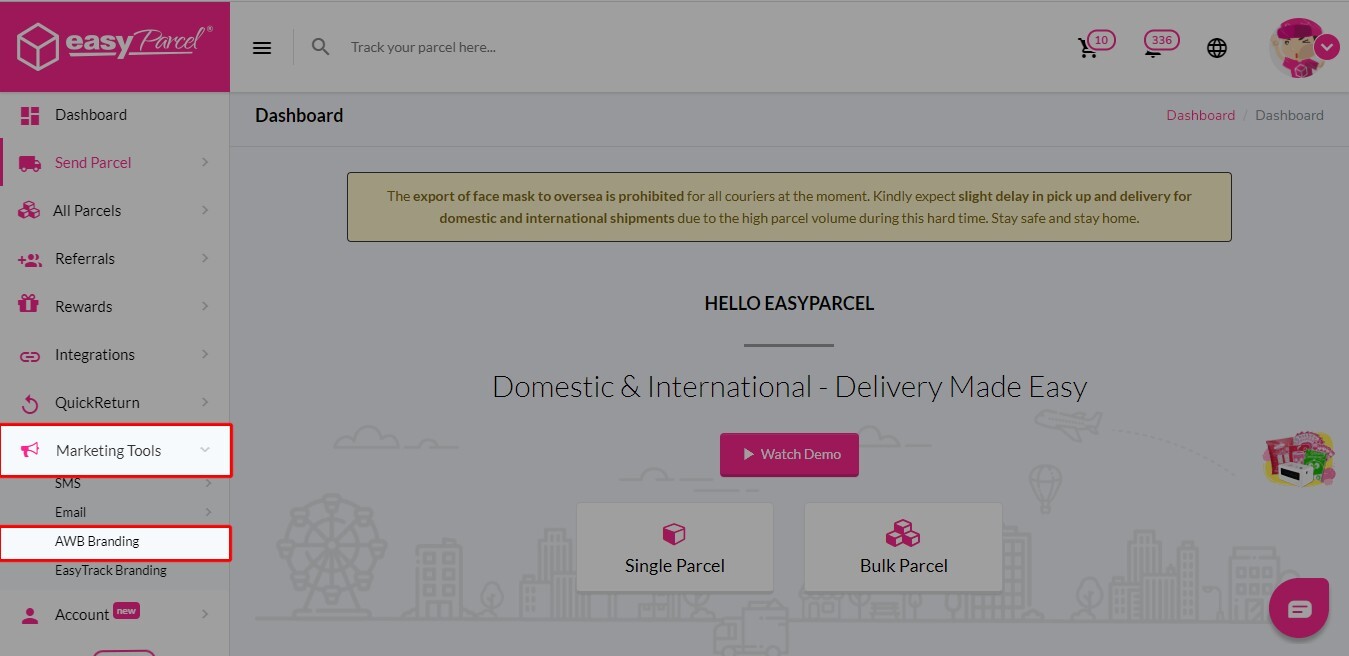
Step 1: Go to “Marketing Tools” then click on “AWB Branding”.
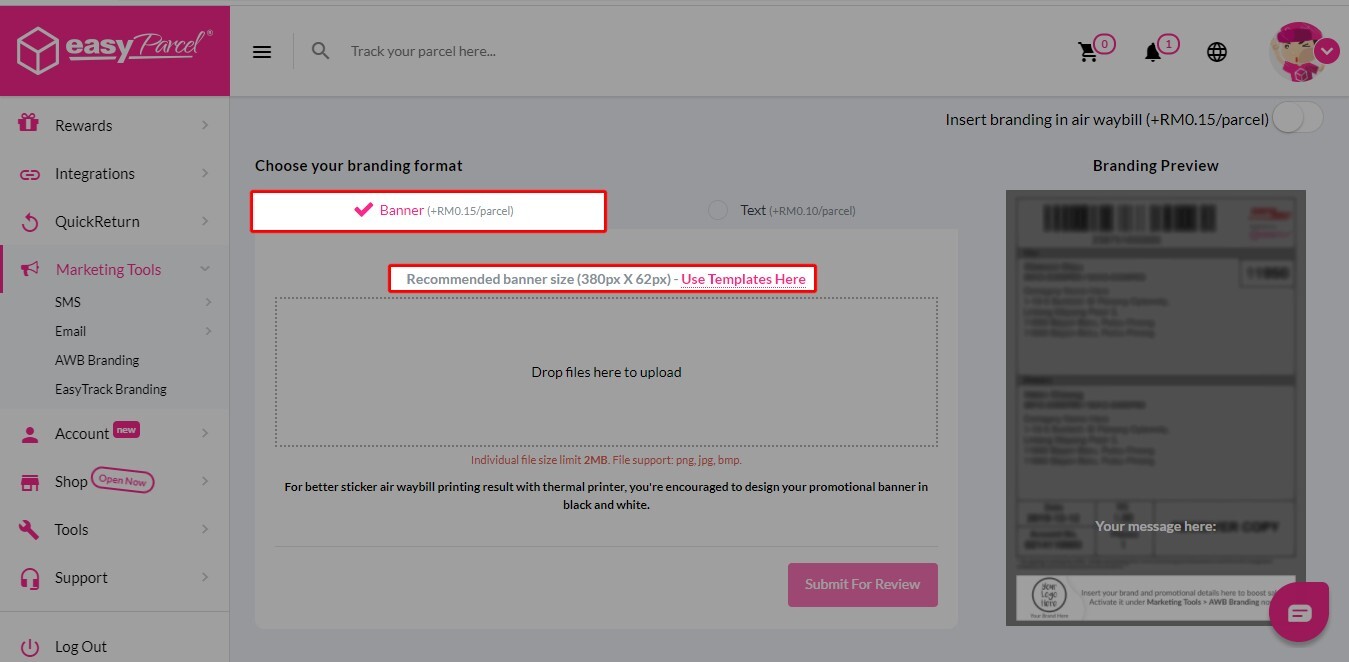
Step 2: You can design your own banner or click on “Use Templates Here” to download our ready-to-use templates.
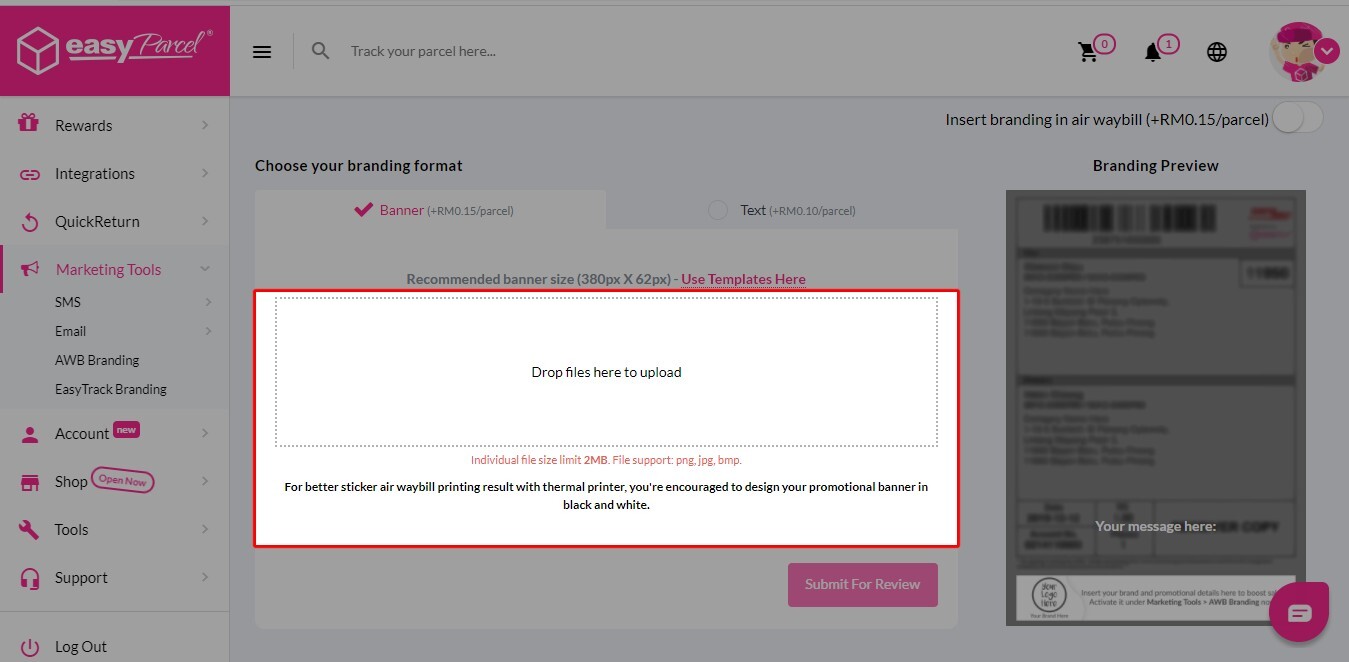
Step 3: Upload your banner here once your banner is done.
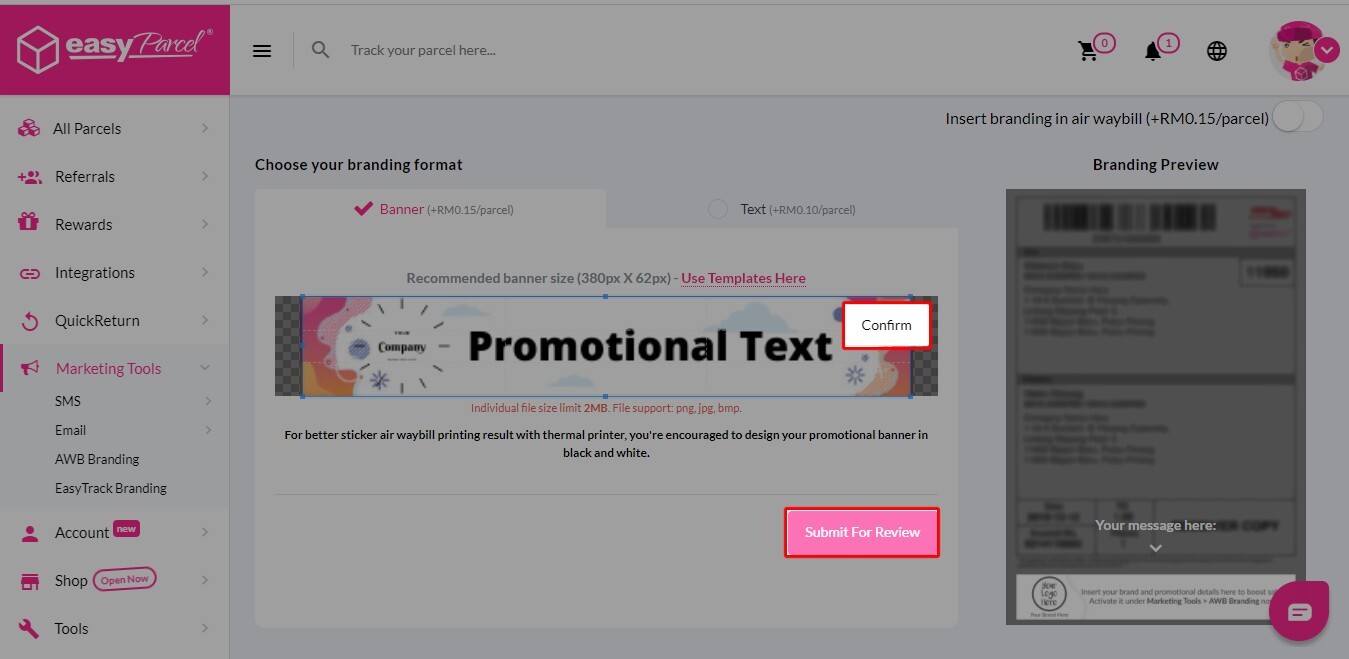
Step 4: Once uploaded, you can click on “Confirm” then “Submit for Review”.
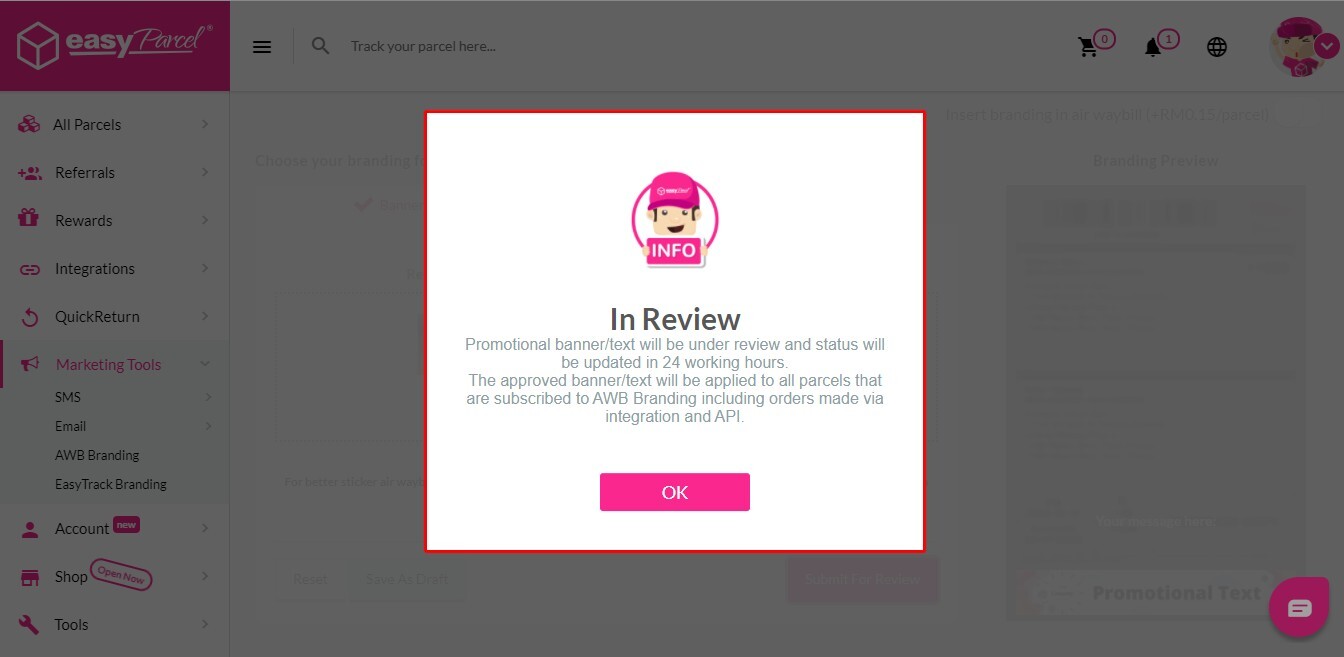
Step 5: All you need to do now is just wait for the approval from EasyParcel team.
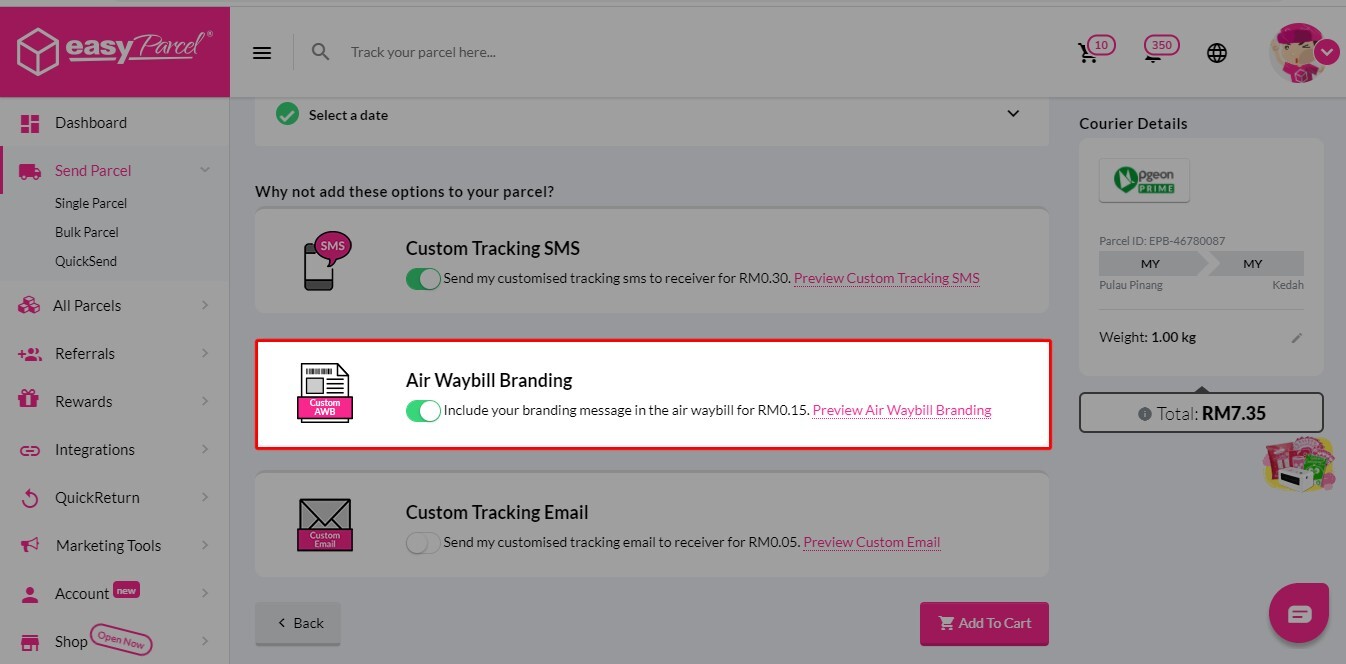
Step 6: Once AWB branding gets approved, you will find “Air Waybill Branding” turned on automatically on the booking page.
Step 1: Go to “Marketing Tools” then click on “AWB Branding”.
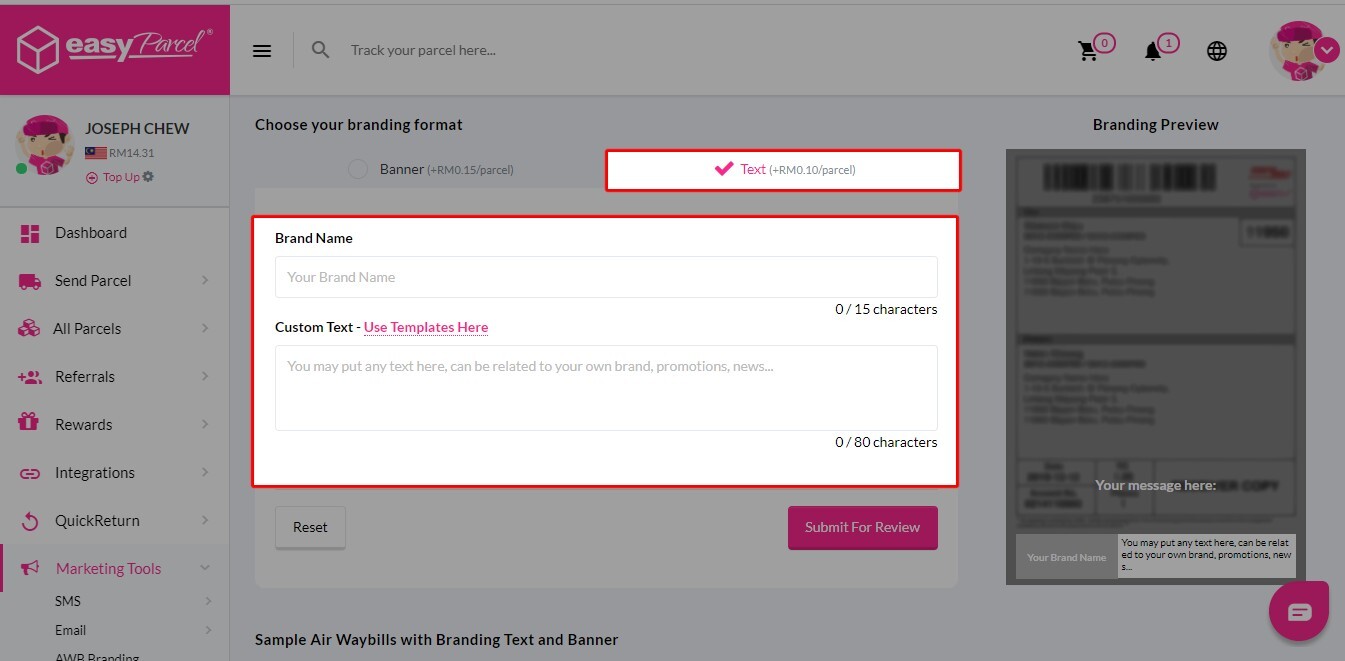
Step 2: You can create your own promotional text or click on “Use Templates Here” to apply our ready-to-use promotional text format and tailor it into your brand voice.
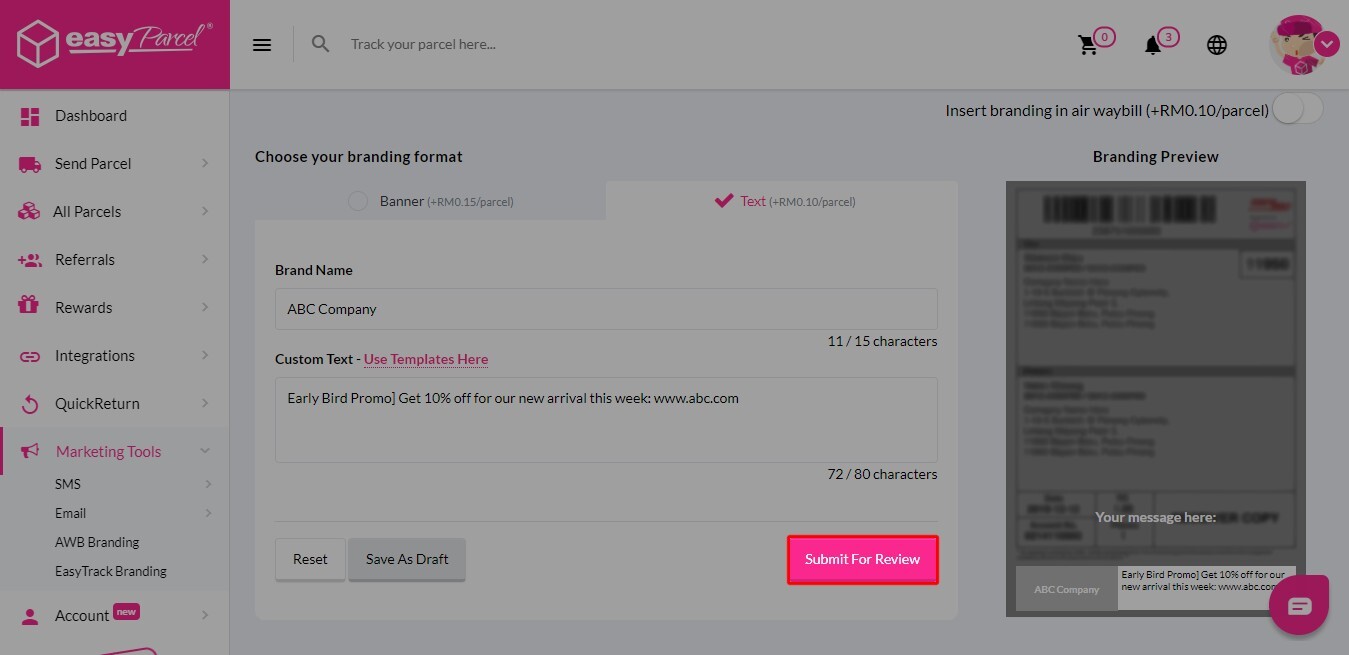
Step 3: Once the text is ready, you can click on “Submit For Review”.
Step 4: All you need to do now is just wait for the approval from EasyParcel team.
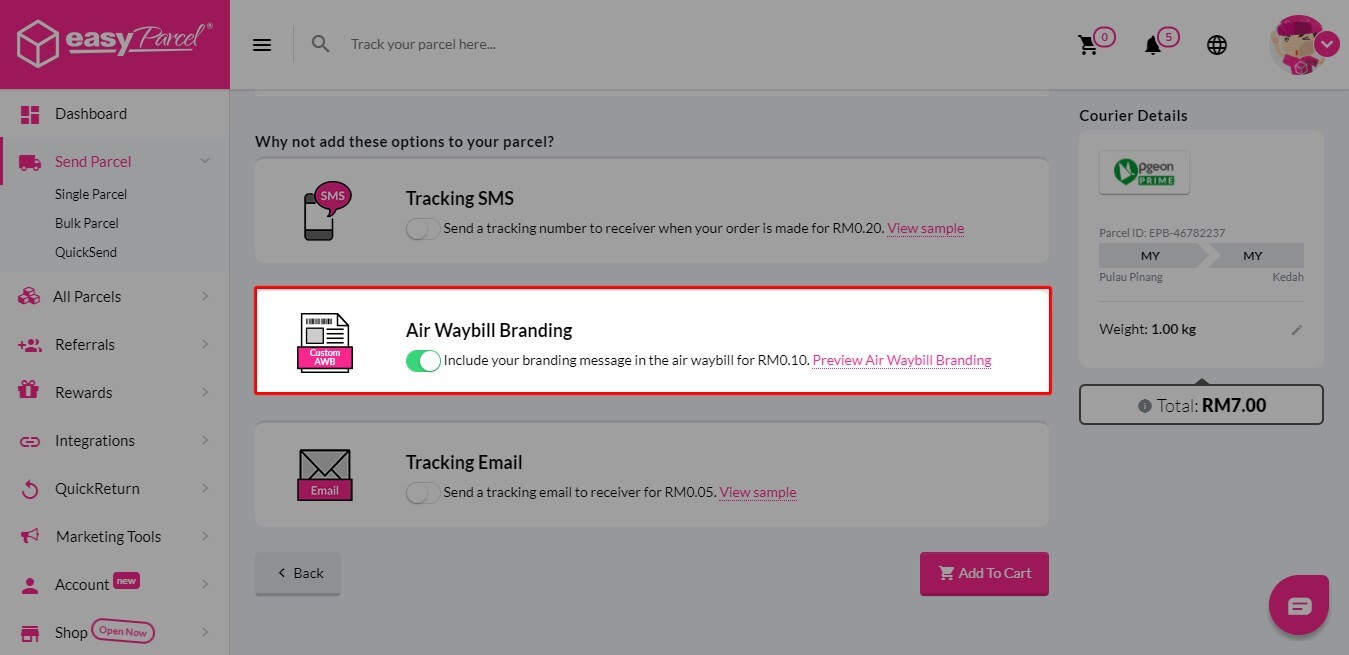
Step 5: Once AWB branding gets approved, you will find “Air Waybill Branding” turned on automatically on the booking page.