Surprise your beloved ones with a bouquet of flowers doesn’t need to be a chore!
You can now show your love without even leaving your busy schedule behind or stuck in a traffic jam for hours. We’ve got you covered with on-demand delivery service for flower with Zepto Express, ZoomIT and GoLog that you’re gonna love it!

| Shipping Rate | From RM7 **50% surcharge for delivery between 8pm to 10am |
| Pick Up & Delivery Coverage | Within Penang, Kuala Lumpur & Selangor |
| Delivery Duration | 3 working hours upon collection |
| Maximum Weight & Dimension | 12kg 92cm (L) x 66cm (W) x 46cm (H) |
| Insurance Coverage For Lost Parcel | Maximum RM100 for basic insurance Extra RM50 for EasyParcel InsurePlus |

| Shipping Rate | From RM10 **50% surcharge if the parcel weight/dimension exceeds the rider’s capacity upon pick up |
| Pick Up & Delivery Coverage | Within Kuala Lumpur, Petaling Jaya, Subang Jaya, Puchong, Shah Alam and Klang areas |
| Pick Up & Delivery Time | Pick up from 9.30am – 5.30pm Delivery within 10am – 8pm |
| Delivery Duration | 5 working hours upon completed booking |
| Maximum Weight & Dimension | 15kg 50.8cm(L) x 40.64cm(W) x 40.64cm(H) |
| Insurance Coverage | Maximum RM200 for basic insurance Extra RM50 for EasyParcel InsurePlus (applicable for lost parcel only) |

| Shipping Rate | From RM10 |
| Pick Up & Delivery Coverage | Within Kuala Lumpur & Selangor |
| Delivery Duration | 3 working hours upon collection Delivery time frame: 10am-7pm |
| Maximum Weight & Dimension | 30kg 50cm x 35cm x 40cm |
| Insurance Coverage | Maximum RM300 for basic insurance Extra RM50 for EasyParcel InsurePlus (applicable for lost shipment only) |
How To Book For Your Flower Delivery?
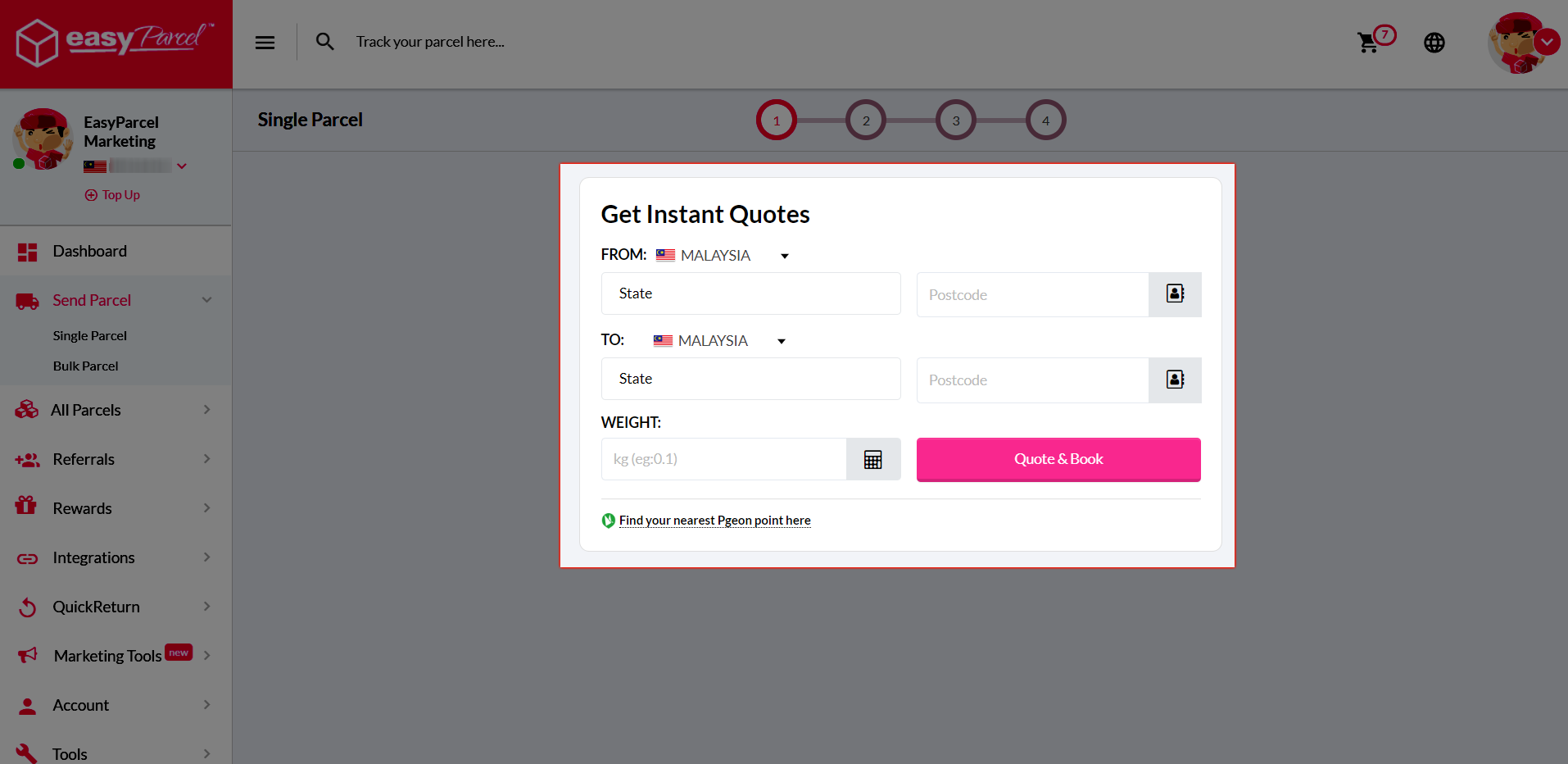
Step 1: Key in postcodes and the weight of your parcel.
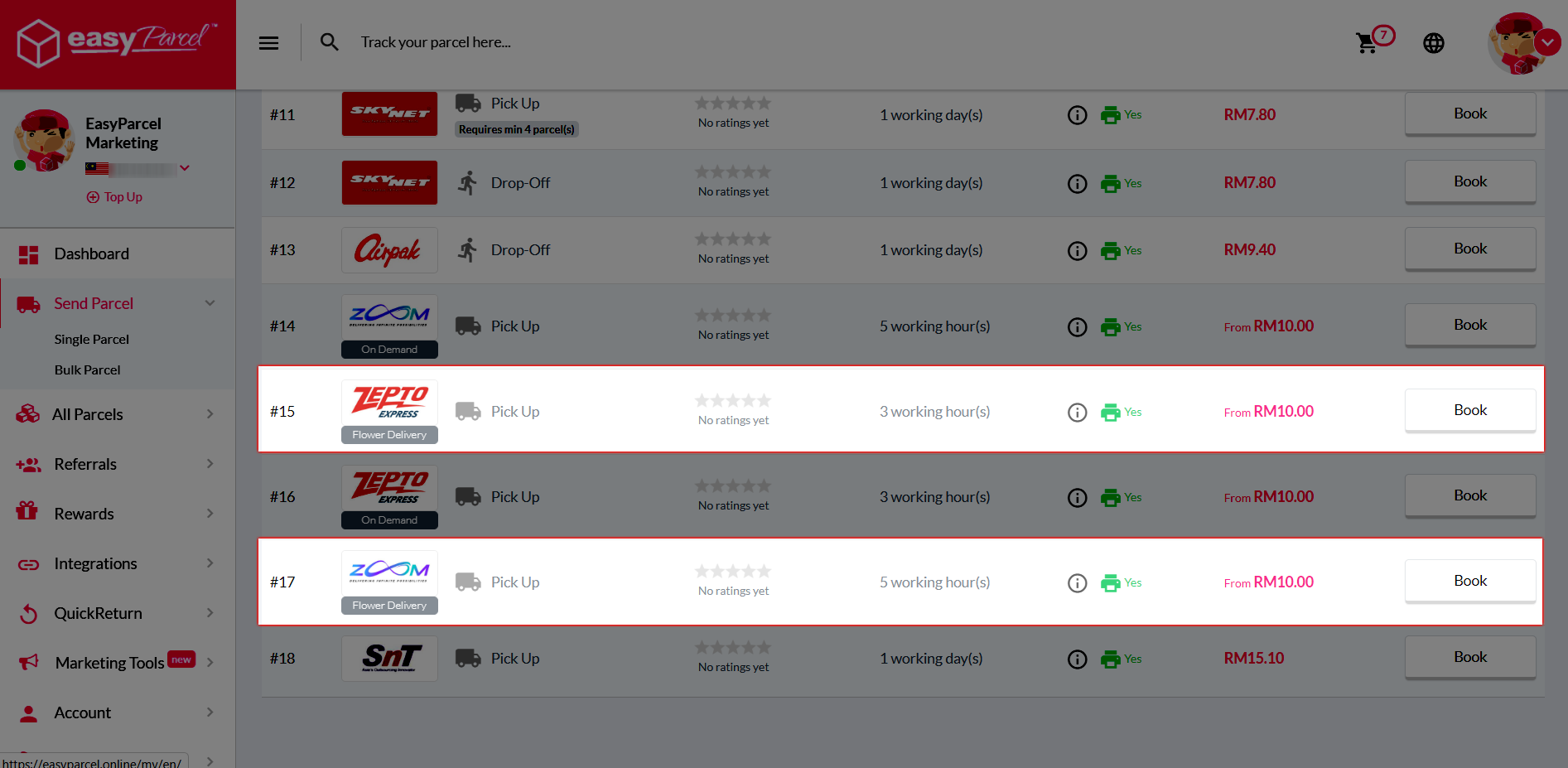
Step 2: Select Zepto or ZoomIT comes with “Flower Delivery” label.
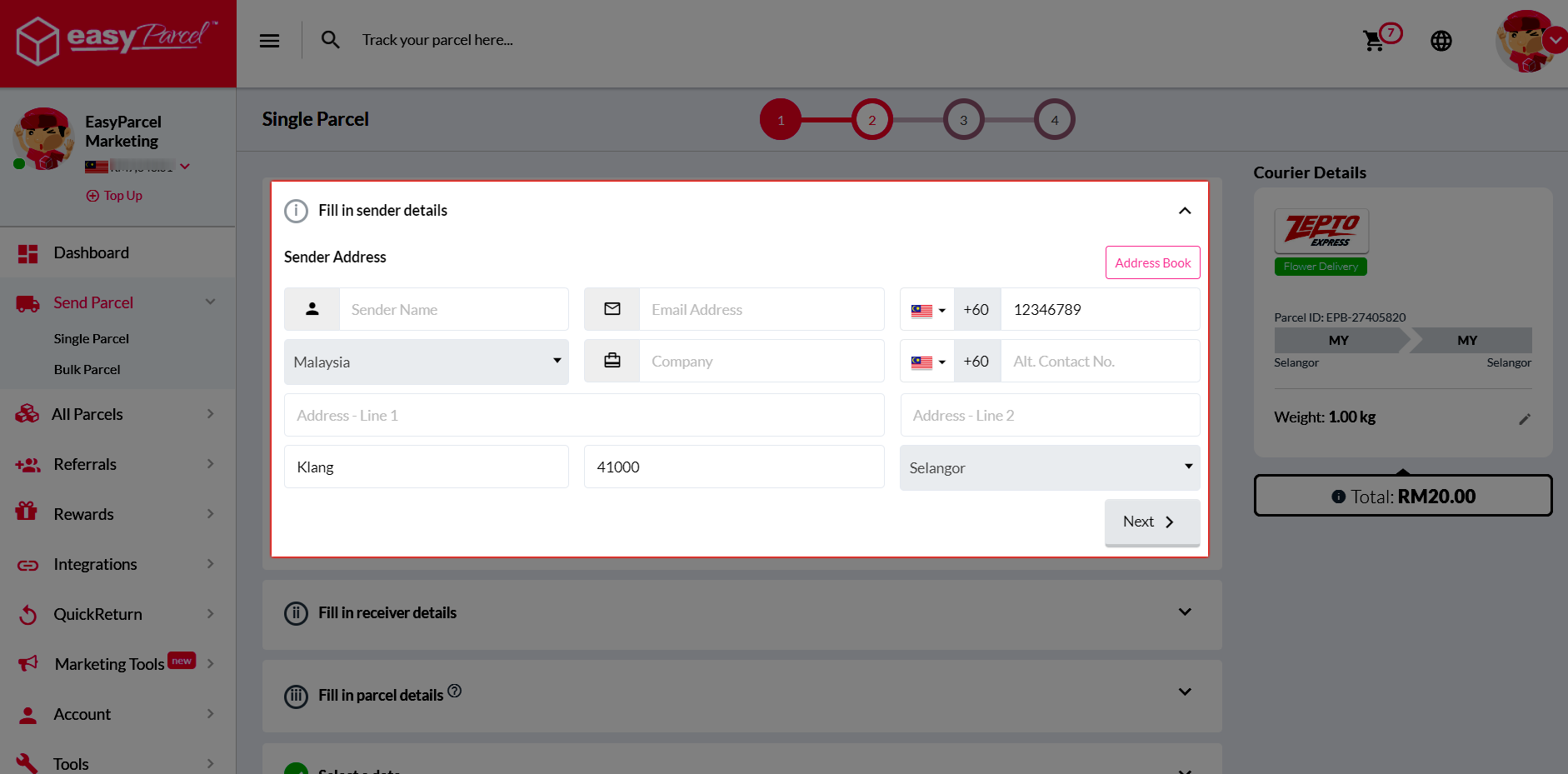
Step 3: Key in sender’s details.
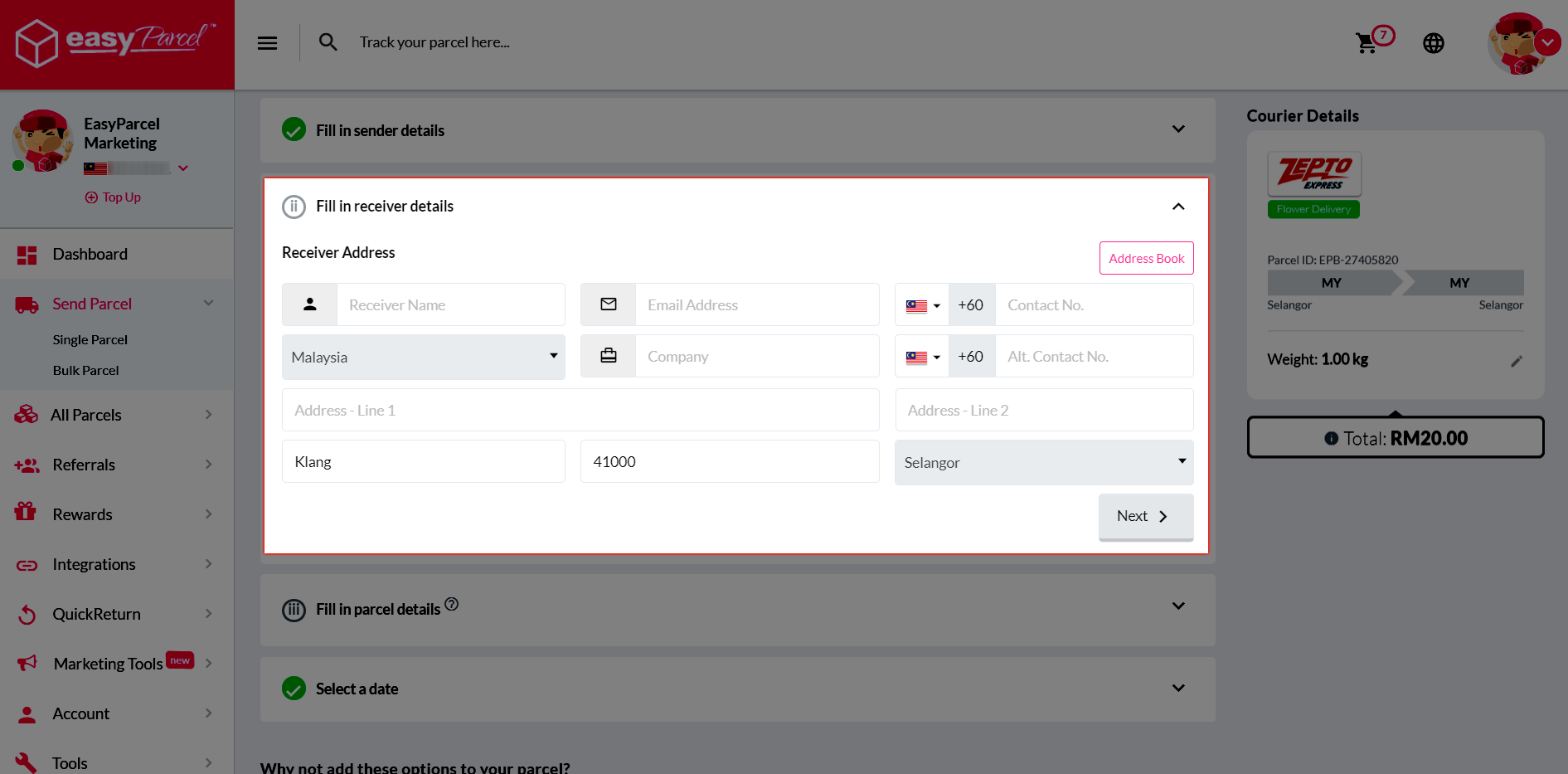
Step 4: Key in receiver’s details.
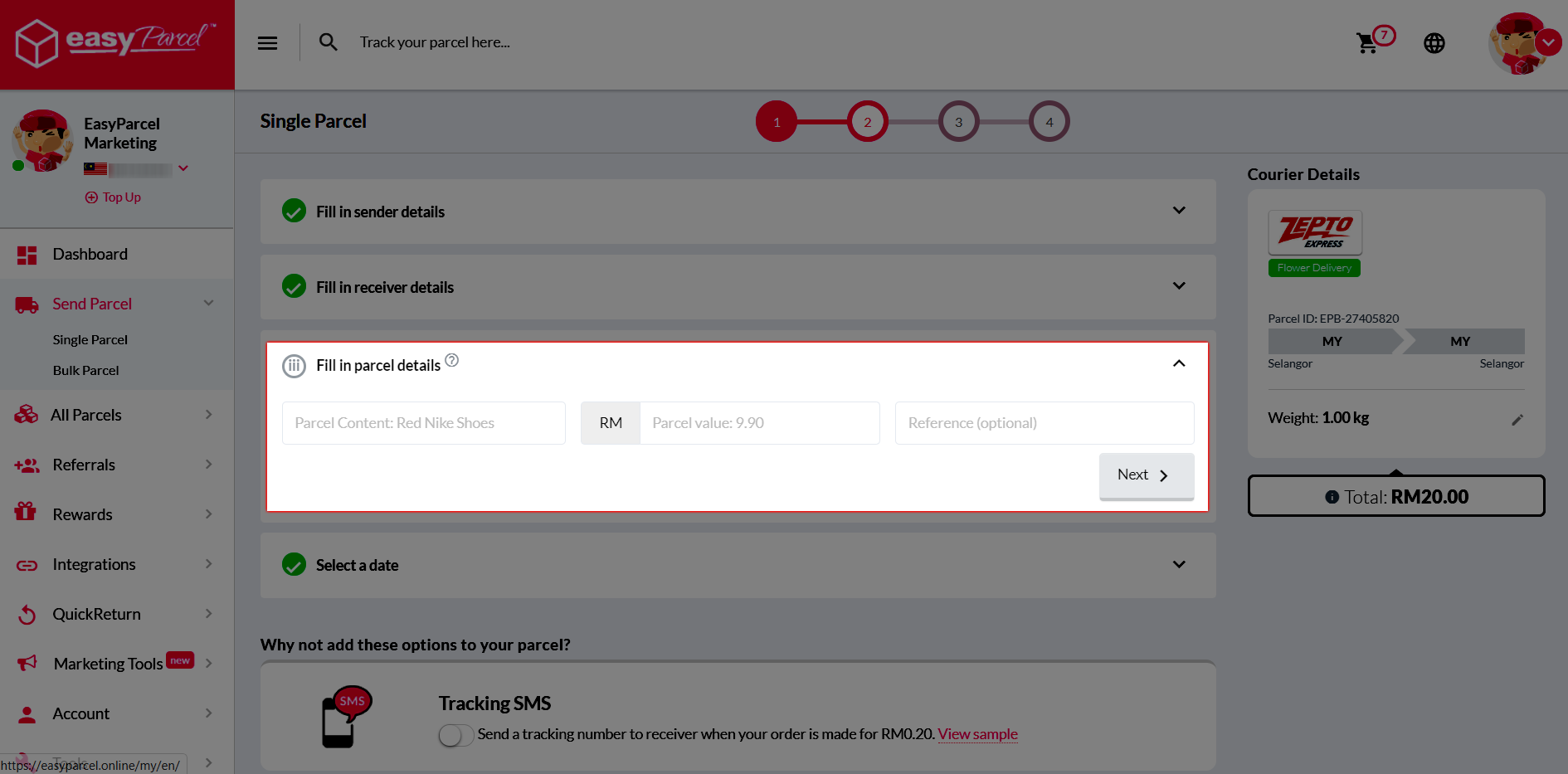
Step 5: Key in parcel content and its value.
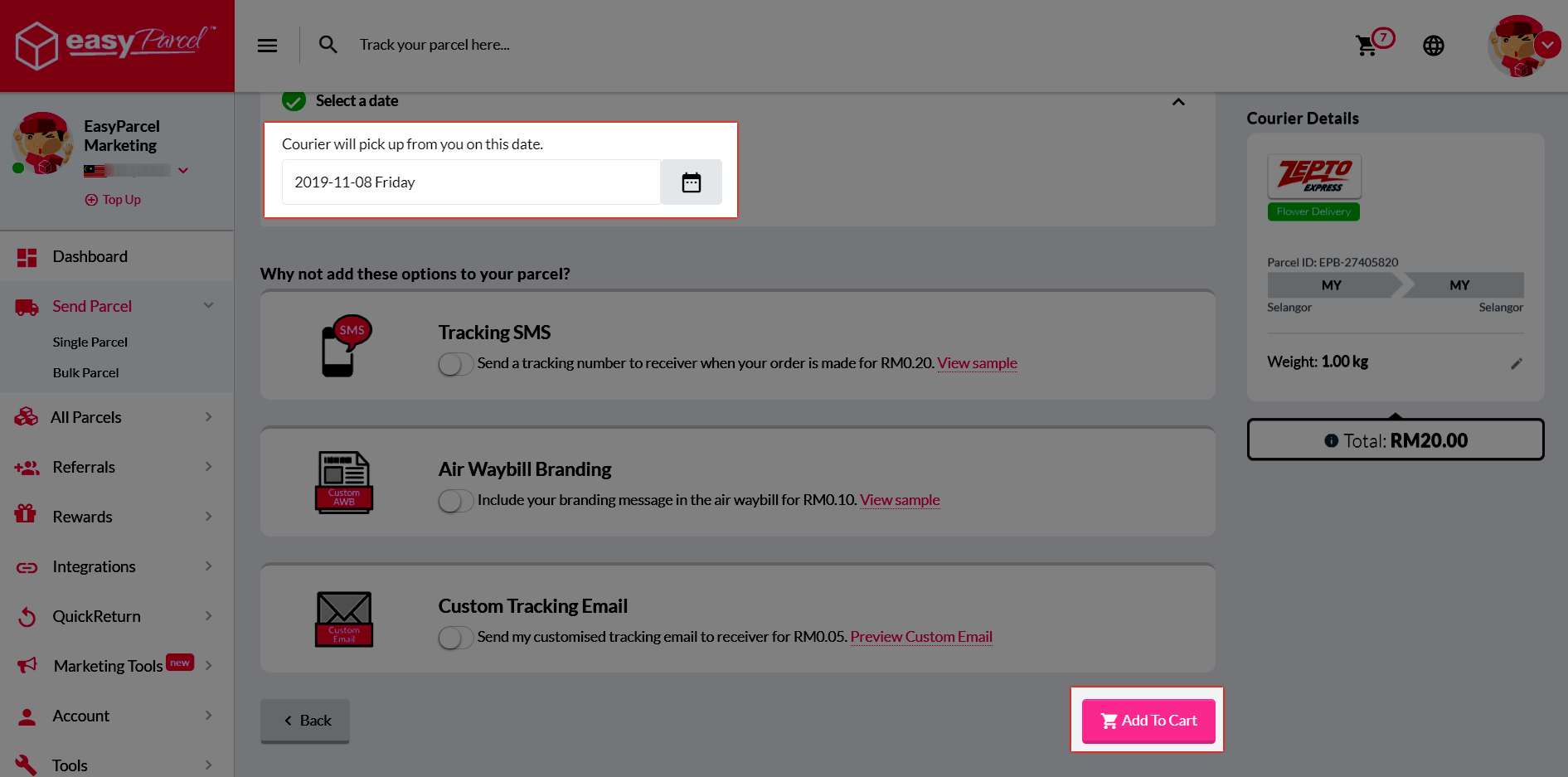
Step 6: Schedule a pick up date and proceed with “Add To Cart”.
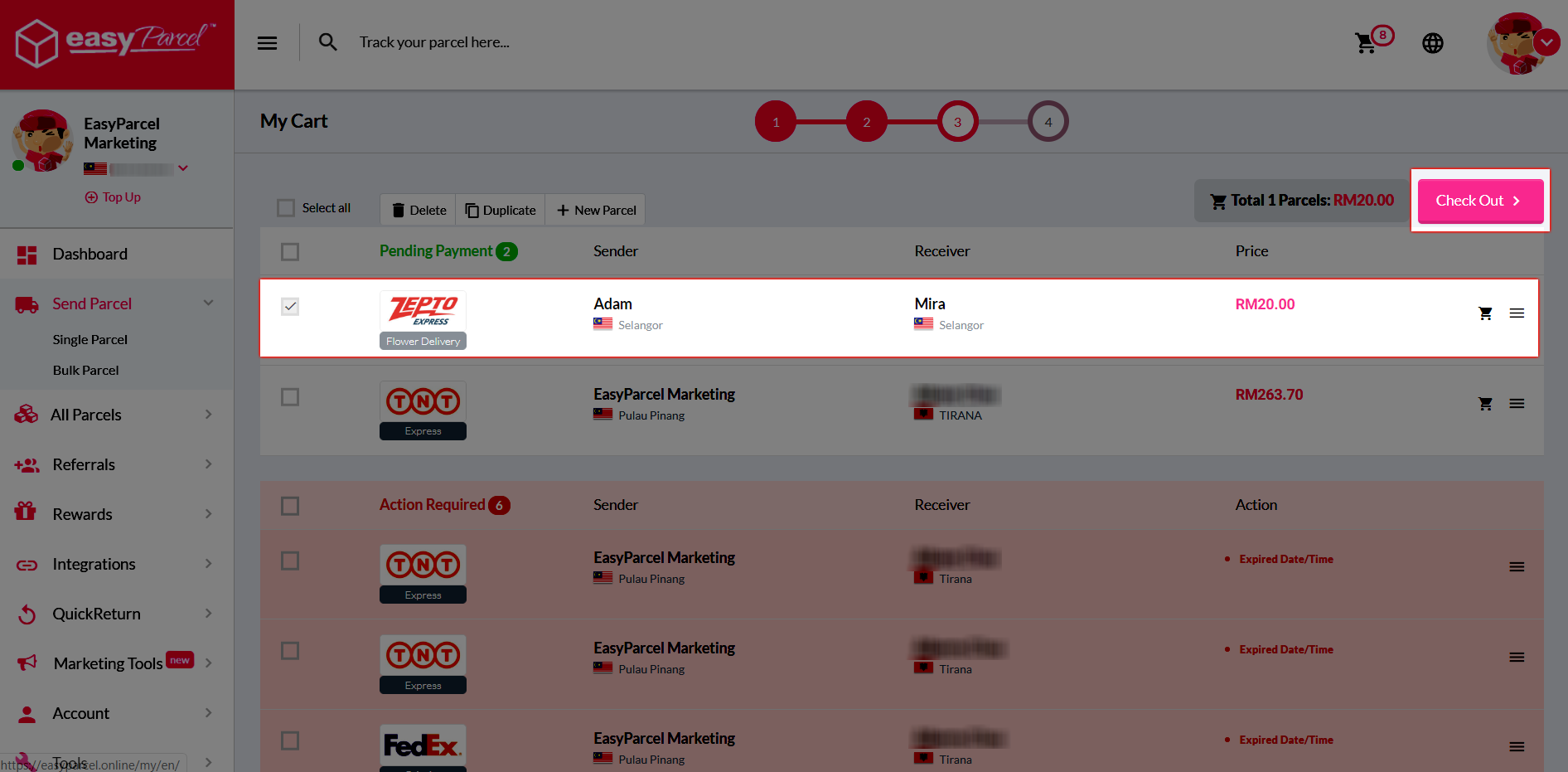
Step 7: A click on “Check Out” to complete your booking.