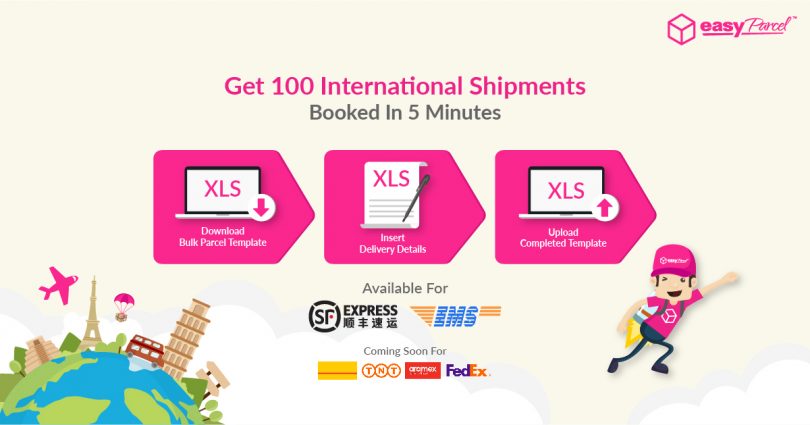
Tired of manually key in international shipments 1-by-1? Fret not, we’ve got you covered even if you have up to 100 orders want to book and deliver oversea!
We’ve redesigned our bulk parcel feature by adding in “International Bulk Parcel” option. With this, you can now upload up to 100 international orders at a time. Our new bulk upload tool will help you save time when it comes to deliver up to 100 packages oversea. Just follow the steps below and complete all the relevant columns before uploading your spreadsheet and the process will be much smoother than you copy and paste 1-by-1 that might be wrong sometime.
Take a look at the tutorial below, it contains all the details you need to know!
How To Place Order In Bulk
 STEP 1: Click “Bulk Parcel” at Dashboard or click “Send Parcel > Bulk Parcel”.
 STEP 2: Click on “International” tab and Download the International template.
 STEP 3: Fill in the details in the template.
 STEP 4: Click the arrow to choose “Courier Service”.
 STEP 5: Once fill in, click “Import Order”.
 STEP 6: Choose the template you have fill in.
 STEP 7: Click “Next”.
 STEP 8: Confirm your order and click “Check Out”.
 STEP 9: Click “Pay with Credits” to proceed to payment.
 STEP 10: Click on “Print” icon, then it is done!
if you missed the step 9
Here Is Another Way To Download All AWB
 STEP 1: Click “All Parcels > Parcel Status”.
 STEP 2: Click on “All Status” in menu tab and select “In Arrangement”.
 STEP 3: Tick the box of the AWB you would like to print.
 STEP 4: Make sure to select “Download AWB”.